

Gaming handhelds have come a long way from being simple console alternatives. Devices like the Lenovo Legion Go 2 are essentially compact Windows PCs with controllers attached, and that description becomes even more appropriate once you start using one.
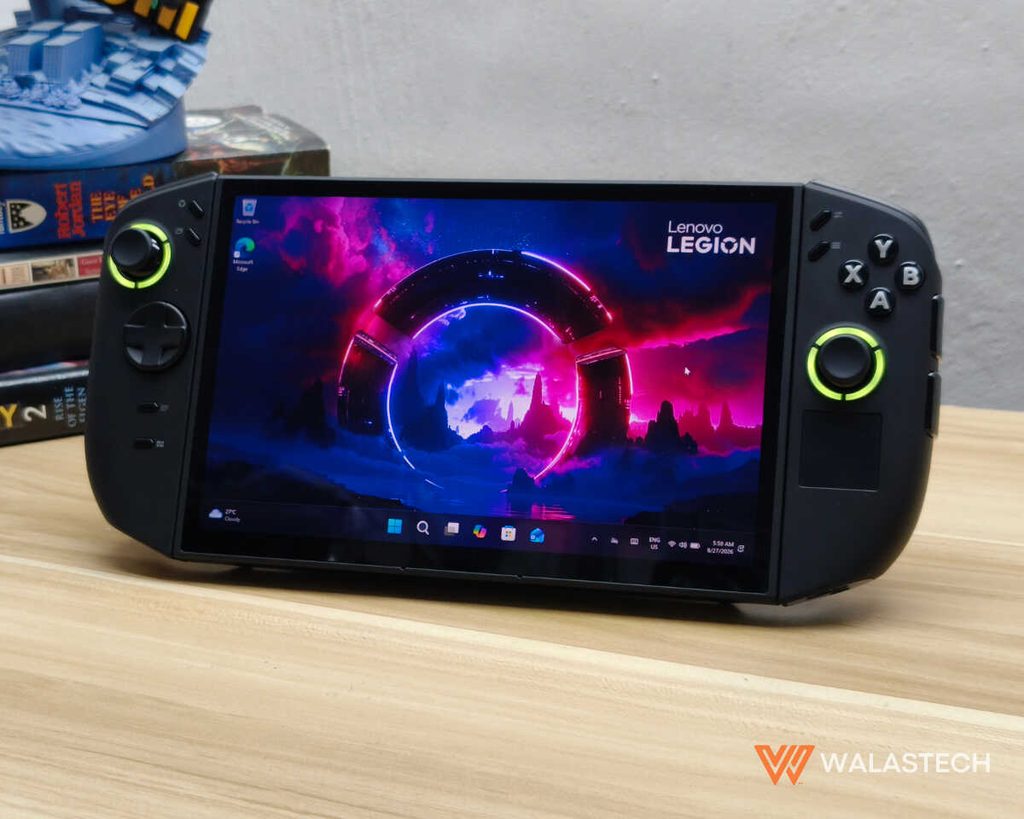
The Legion Go 2 is still not what you would call a small handheld. At around 920 grams with its controllers attached, it is one of those devices that immediately makes you aware of its size once you pick it up.
However, that size also gives Lenovo room to fit an 8.8-inch OLED display, a 74Wh battery, a powerful AMD Ryzen Z2 Extreme processor, 32GB of RAM and a cooling system capable of keeping everything running at relatively high power. Does it have all the bells and whistles to be that portable companion you need? Here’s our review.
Lenovo Legion Go 2 Specifications
- Display: 8.8-inch OLED
- Resolution: 1920 x 1200
- Refresh Rate: 144Hz with VRR
- Brightness: 500 nits
- Color Gamut: 100% DCI-P3
- HDR: DisplayHDR True Black 1000
- Processor: AMD Ryzen Z2 Extreme
- CPU: 8-core / 16-thread
- GPU: AMD Radeon 890M
- RAM: 32GB LPDDR5X-8000
- Storage: 1TB PCIe 4.0 NVMe SSD
- Battery: 74Wh
- Charging: 65W USB-C
- Operating System: Windows 11 Home
- Connectivity: Wi-Fi 6E, Bluetooth 5.3
- Ports: 2x USB-C 4.0, microSD card reader, 3.5mm audio jack
- Audio: Dual 2W speakers with Nahimic Audio
- Controllers: Detachable Legion TrueStrike controllers
- Joysticks: Hall-effect
- Security: Fingerprint reader
- Weight: 920g with controllers
- Color: Eclipse Black
Lenovo Legion Go 2 Review: Design and Build
The Legion Go 2 keeps the basic shape of the original, but the second-generation model feels more refined once you actually hold it.
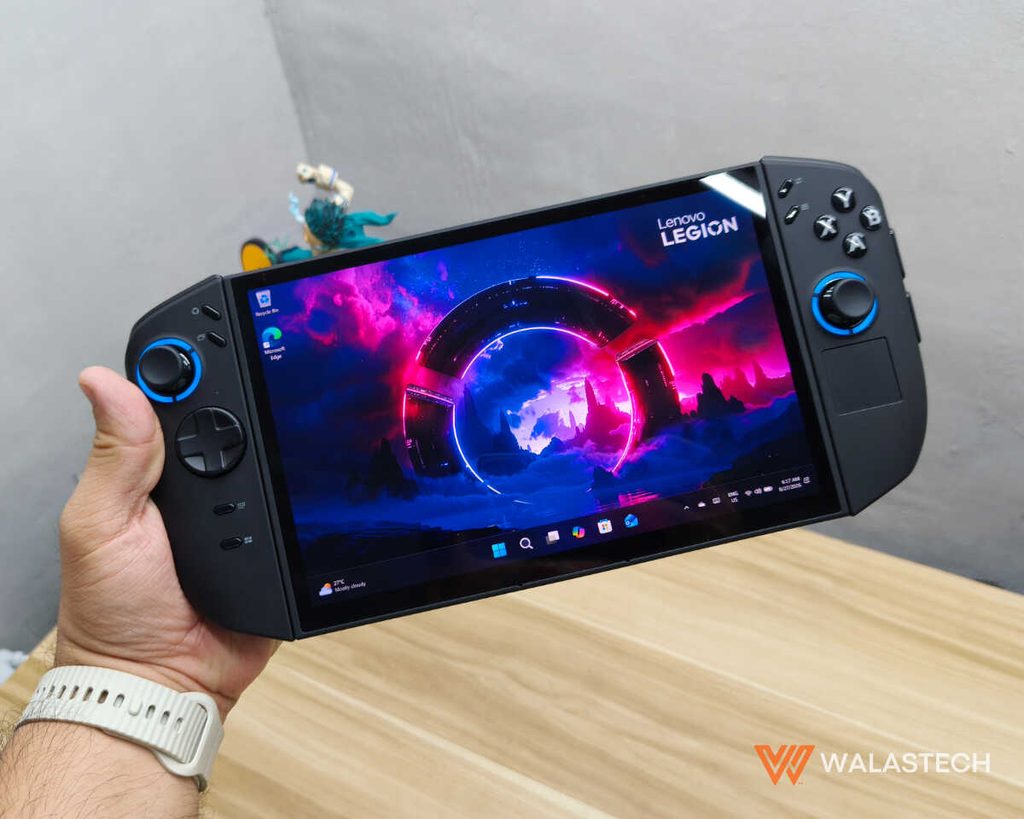
The large screen remains the centerpiece, with the detachable Legion TrueStrike controllers attached to either side and a substantial kickstand built into the rear. The overall construction feels solid, and there is very little about the device that gives the impression of being a compromise simply because it is a handheld.
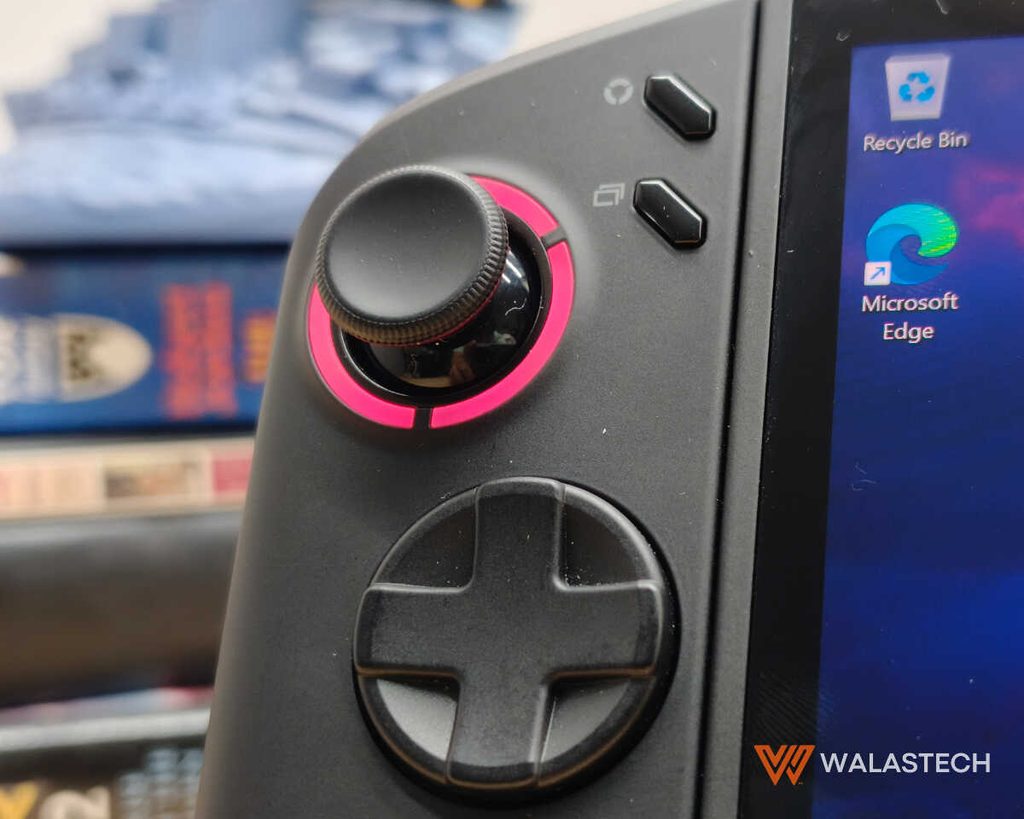
The controllers are particularly important because Lenovo has made the Legion Go line different from most Windows handhelds. They are substantial enough to feel like proper gamepad grips rather than thin accessories, and the revised shape makes extended sessions more comfortable.
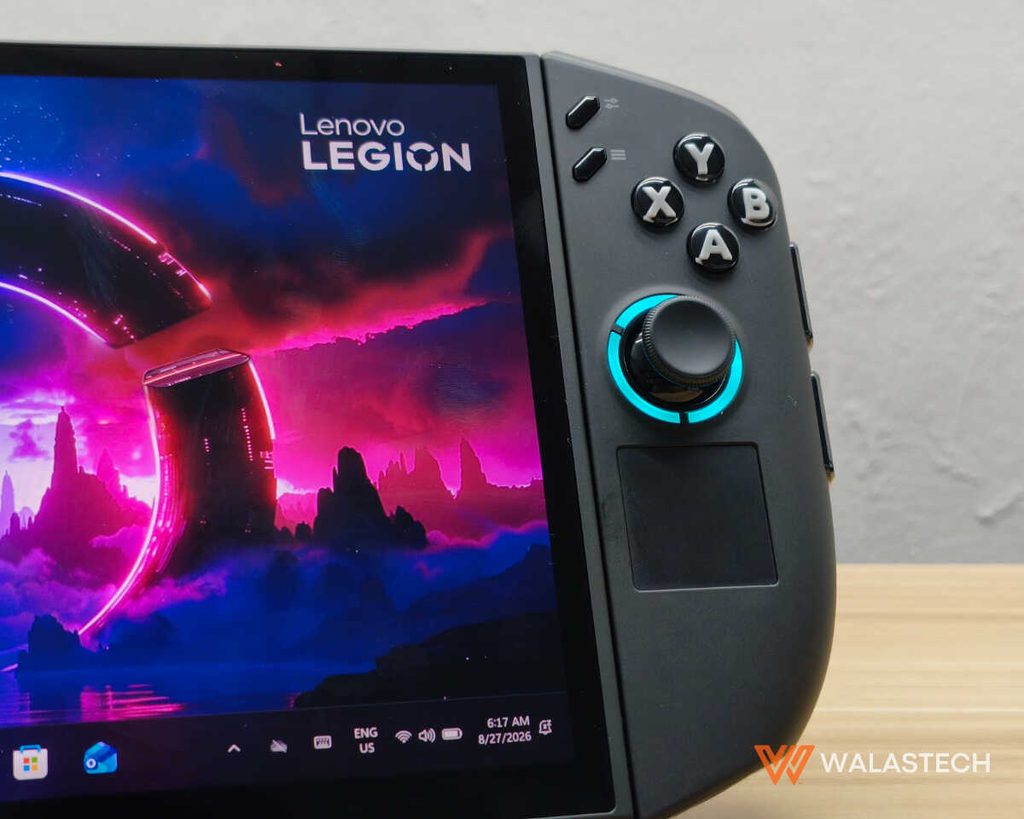
The Hall-effect joysticks are also a welcome addition, particularly for a device that is expected to see plenty of gaming over its lifetime. They provide smooth movement while avoiding the traditional physical contact mechanism associated with conventional analog sticks.
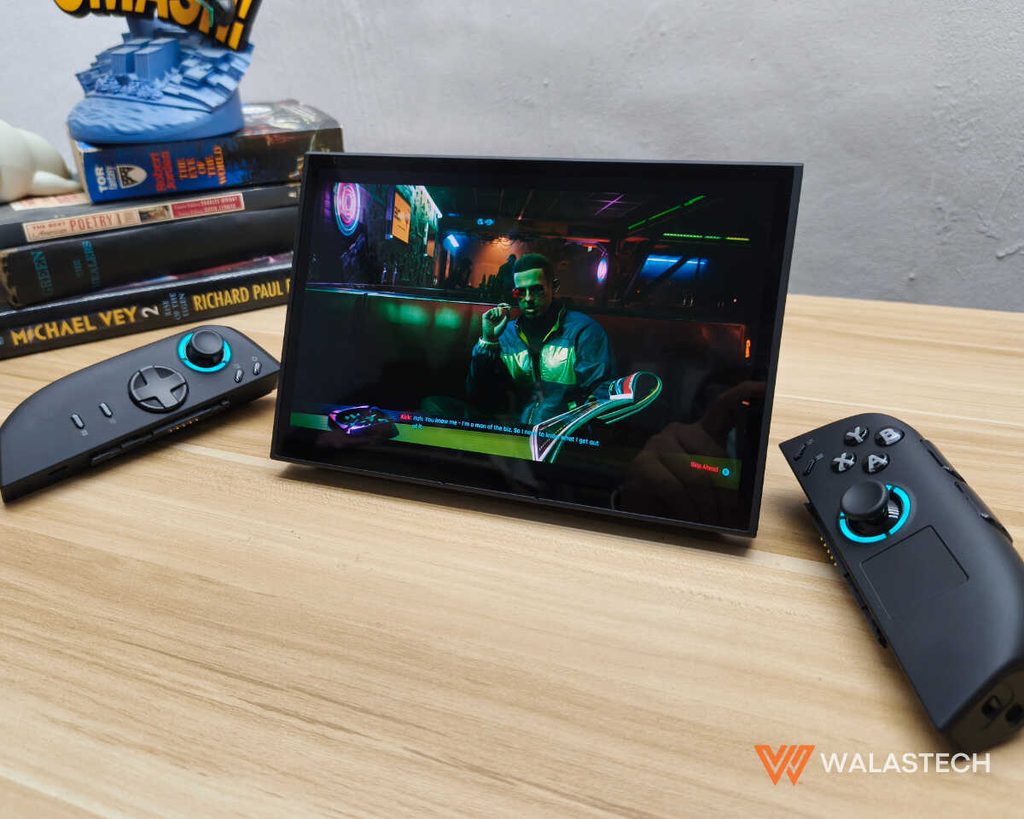
Then there is the detachable design, which remains one of the Go 2’s most useful features. You can remove the controllers, deploy the kickstand and play without having to hold the main unit. This works particularly well when you’re sitting at a desk or using the Legion Go 2 in bed, and it also makes the device more practical for watching videos when you’re not gaming. The right controller can additionally be mounted onto its FPS mode base, giving you a mouse-like control option for games that work better with traditional PC input.
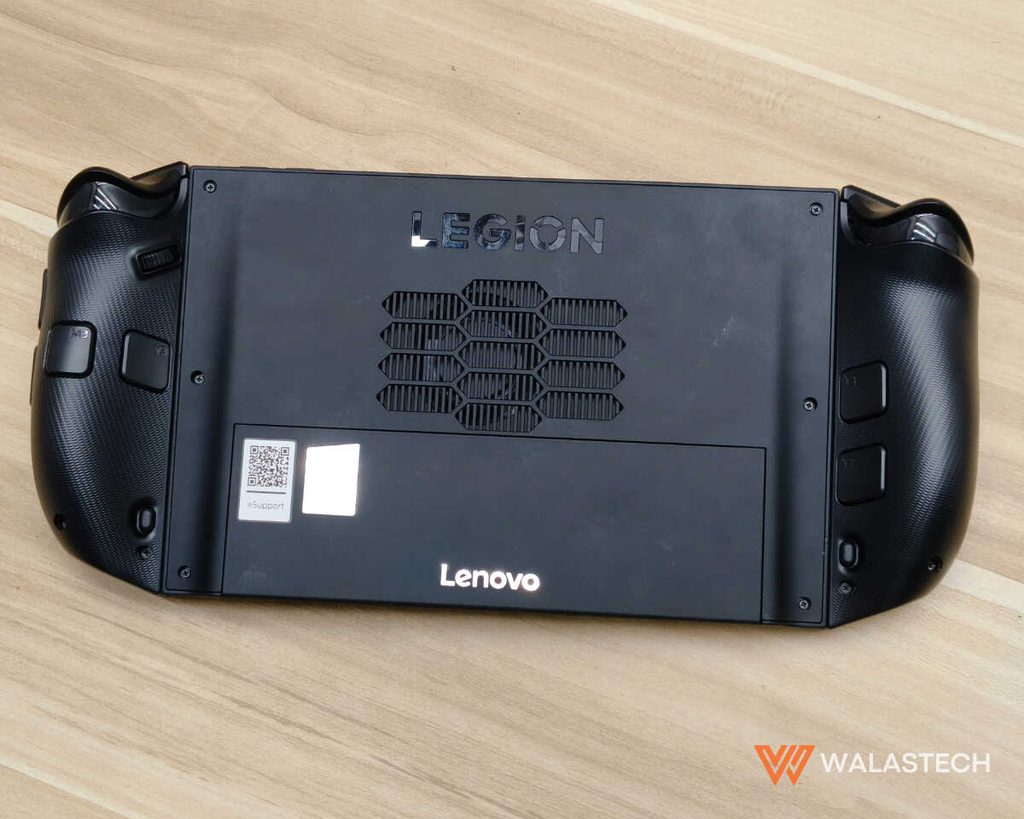
The biggest compromise is the weight. At approximately 920 grams with the controllers attached, the Legion Go 2 is noticeably heavier than a conventional handheld console. It is comfortable enough when properly supported, but holding it in the air for an extended period will eventually become tiring.
Lenovo has essentially chosen to make the Go 2 a more capable portable computer rather than chasing the lightest possible design, and that decision is something you’ll either appreciate or notice every time you pick it up.
Is the Legion Go 2 Comfortable for Long Gaming Sessions? This is where the Go 2’s design becomes subjective. The controllers themselves are comfortable, and the larger grips make the device feel more substantial in your hands. The problem is the weight of the entire system. At around 920 grams, you can’t ignore it.
When supported by a desk, table or your lap, the weight becomes much less of a problem. When holding the device in front of you for a long period, however, your arms will eventually remind you that you’re carrying almost a kilogram of hardware.
The kickstand therefore isn’t just a convenient extra. It is one of the features that makes the Go 2’s physical design work. Once you start using the device with the controllers detached and the main unit supported, the weight becomes much less noticeable.
Lenovo Legion Go 2 Review: Display and Audio
The 8.8-inch OLED display is one of the strongest reasons to consider the Legion Go 2. It runs at 1920 x 1200 with a 144Hz refresh rate and variable refresh rate support, while also offering wide color coverage and HDR support. The combination gives games considerably more visual impact than you would expect from a handheld, particularly in darker scenes where the OLED panel’s deep blacks can make a noticeable difference.
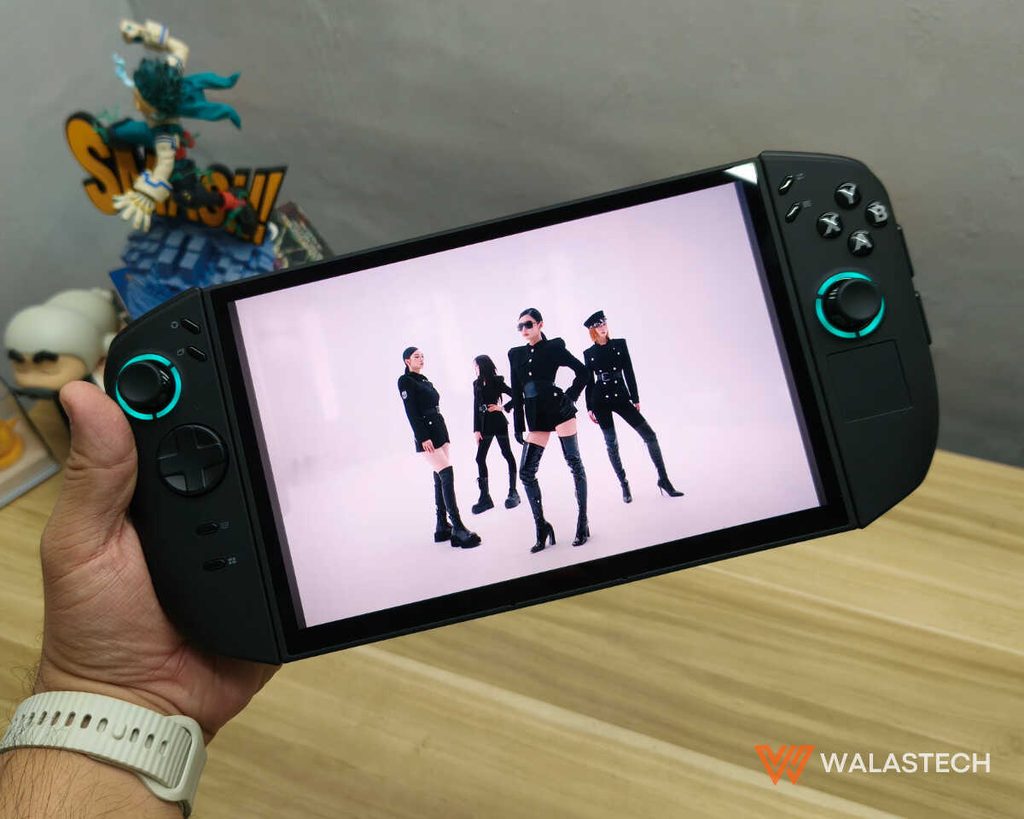
The move to 1920 x 1200 from the original Legion Go’s 2560 x 1600 resolution may initially sound like a downgrade, but it actually makes more sense for the hardware. The Radeon 890M is powerful for an integrated GPU, but demanding modern games can quickly overwhelm it at higher resolutions. At 1920 x 1200, you still get a sharp image on the 8.8-inch screen without forcing the GPU to render more pixels than it can realistically handle. For particularly demanding games, dropping to 1280 x 800 can provide another significant performance boost without making the display unusable.
The 144Hz refresh rate is also more than a specification designed to look good on a box. Lighter games can take advantage of the higher refresh rate, while VRR becomes particularly useful for demanding titles that fluctuate between 40 and 60 FPS. Instead of seeing obvious tearing or having to force the game into a fixed refresh rate, the display can adapt to the frame rate being produced by the GPU.
The speakers are less remarkable. The dual 2W setup is perfectly usable for casual gaming, streaming, and general Windows use, but it does not have the volume or low-end response to replace a good pair of headphones. Fortunately, Lenovo retained the 3.5mm audio jack, which is still useful for competitive gaming and anyone who doesn’t want to rely on Bluetooth audio.
Lenovo Legion Go 2 Review: Performance
The Legion Go 2’s Ryzen Z2 Extreme is what turns the device from an interesting handheld into a genuinely capable portable gaming PC. The eight-core, 16-thread processor is paired with Radeon 890M integrated graphics and 32GB of LPDDR5X-8000 memory. Since the GPU shares system memory instead of having dedicated VRAM, having 32GB gives the system considerably more room to work with, especially when you’re running modern games alongside Windows and background applications.
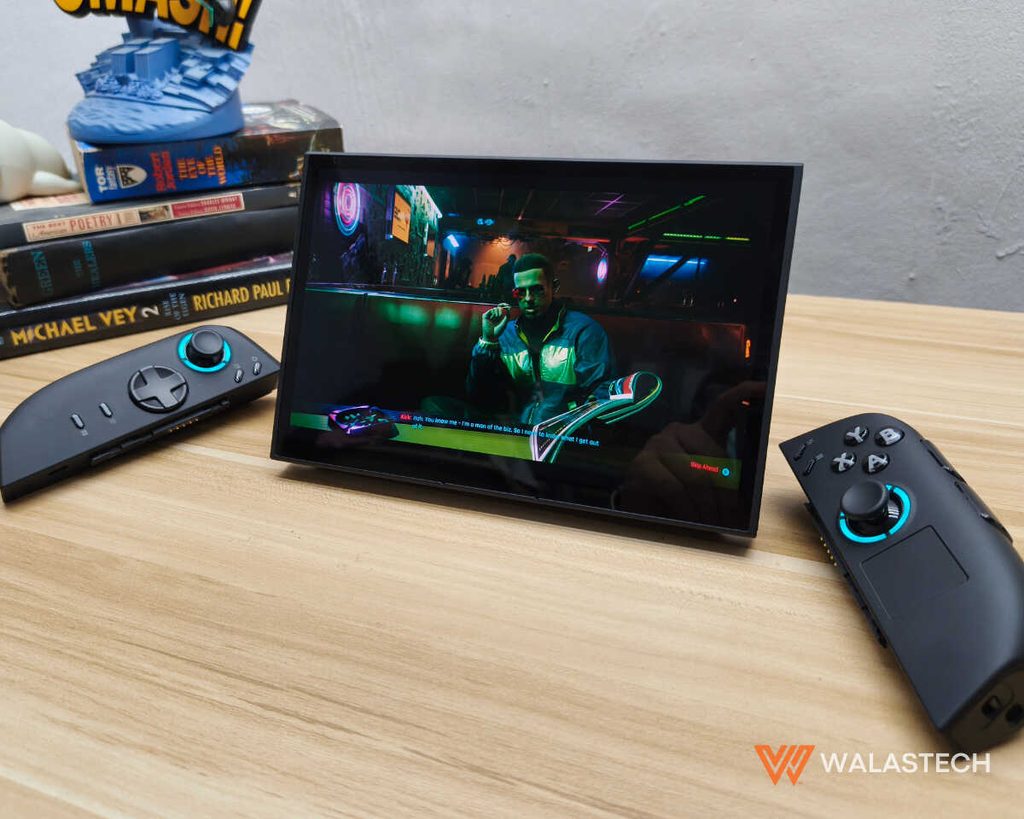
Performance is also where the Legion Go 2 needs to be understood properly. This isn’t a device designed to run every new AAA title at maximum settings and native resolution. Instead, it gives you enough performance to make modern PC games playable while allowing you to adjust resolution, graphics quality, upscaling and power modes according to the game. Once you approach it that way, the results are quite impressive for something you can carry around.
Synthetic Benchmarks
| Benchmark | Result |
|---|---|
| Geekbench 6 Single-Core | 2,780 |
| Geekbench 6 Multi-Core | 11,900 |
| Cinebench R24 Single-Core | 100 |
| Cinebench R24 Multi-Core | 665 |
| 3DMark Time Spy | 3,750 |
| 3DMark Fire Strike | 9,050 |
| 3DMark Fire Strike Extreme | 4,920 |
| 3DMark Fire Strike Ultra | 2,760 |
| 3DMark Steel Nomad | 610 |
| 3DMark Steel Nomad Light | 3,500 |
| PCMark 10 | 7,350 |
| CrossMark | 1,700 |
| CrystalDiskMark Read | 6,350 MB/s |
| CrystalDiskMark Write | 3,700 MB/s |
The CPU results show that the Go 2 has no problem handling ordinary Windows workloads. Applications open quickly, multitasking is responsive, and the 32GB memory configuration gives it enough headroom to behave more like a conventional PC than a restricted gaming device. The GPU is naturally where the limitations appear, but the Radeon 890M performs well when it is given a resolution and graphics workload appropriate for a handheld.
Storage performance is also excellent. Sequential read speeds can go beyond 7GB/s, while sequential writes can exceed 6GB/s depending on the configuration and test conditions. That translates into quick Windows startup, fast application loading and relatively short game-loading times, although the 1TB capacity can disappear quickly once you start installing large AAA titles.
Gaming Performance
| Game | Resolution | Graphics | Average FPS |
|---|---|---|---|
| Cyberpunk 2077 | 1920 × 1200 | Preset, FSR Auto | ~39 FPS |
| Shadow of the Tomb Raider | 1920 × 1200 | High | ~36 FPS |
| Red Dead Redemption 2 | 1920 × 1200 | Lowest / Performance | ~48 FPS |
| Forza Horizon 5 | 1920 × 1080 | High | ~73 FPS |
| Baldur’s Gate 3 | 1920 × 1080 | High | ~31 FPS |
| F1 25 | 1920 × 1080 | High | ~48 FPS |
| Assassin’s Creed Shadows | 1920 × 1080 | Low | ~27 FPS |
| Doom: The Dark Ages | 1280 × 800 | Handheld preset | ~72 FPS |
These numbers demonstrate why resolution scaling is so important on the Legion Go 2. Cyberpunk 2077, for example, is playable at 1200p, but the difference between demanding settings and a more sensible handheld configuration is significant. For games that are already well optimized, 60 FPS is achievable at 1080p or 1200p, while heavier titles often settle closer to 30–50 FPS.
Doom: The Dark Ages is a good example of what happens when the resolution and graphics profile are matched to the hardware. At 1280 x 800 using a handheld-oriented preset, the Legion Go 2 can push into the 70 FPS range. Meanwhile, Assassin’s Creed Shadows demonstrates the other end of the spectrum, where even a powerful integrated GPU has to make substantial compromises to maintain playable frame rates.
This is where AMD’s upscaling technology becomes particularly useful. Rather than treating 1920 x 1200 as a mandatory target, you can let the game render internally at a lower resolution and upscale the image to the display. On an 8.8-inch OLED screen, the result can still look very good while providing a meaningful improvement in frame rate.
The Legion Go 2 is particularly interesting if your library includes Genshin Impact, Honkai: Star Rail or Zenless Zone Zero because these games sit somewhere between lightweight competitive titles and demanding AAA games.
| Game | Resolution | Graphics | Expected / Tested FPS | Notes |
|---|---|---|---|---|
| Genshin Impact | 1920 × 1200 | High | ~60 FPS | 60 FPS cap; generally stable |
| Genshin Impact | 1920 × 1200 | Highest | ~55–60 FPS | Occasional dips in heavier areas |
| Honkai: Star Rail | 1920 × 1200 | High | ~50–60 FPS | More demanding during combat |
| Honkai: Star Rail | 1920 × 1200 | Highest | ~40–50 FPS | Drops possible in busy areas |
| Zenless Zone Zero | 1920 × 1200 | Medium | 40–50 FPS | |
| Zenless Zone Zero | 1280 × 800 | Medium | ~55–60 FPS | |
| Zenless Zone Zero | 1920 × 1200 | High | ~35–45 FPS |
Genshin Impact is the easiest of the three for the hardware. At 1920 x 1200 with High settings, the Legion Go 2 can reach the game’s 60 FPS limit in normal gameplay. This makes it one of the titles where running the display at its native resolution is worthwhile, especially because the OLED panel makes the game’s colorful environments look excellent.
Honkai: Star Rail puts more pressure on the hardware, particularly in larger environments and during battles with more effects on screen. At 1920 x 1200 on High settings, performance generally falls around the 50–60 FPS range, while dropping to 1280 x 800 gives the GPU additional headroom for maintaining a smoother 60 FPS experience.
Zenless Zone Zero is the most demanding of the three. At 1920 x 1200 with Medium settings, performance sits around the mid-40 FPS range during exploration and generally between 40 and 50 FPS during combat. More effects-heavy encounters can push the frame rate into the 30s. Dropping the resolution to 1280 x 800 provides a noticeable improvement and makes it much easier to approach 60 FPS.
For these games, the Legion Go 2’s VRR display is particularly useful because you don’t necessarily need to chase a perfectly locked 60 FPS. A game fluctuating between the low 40s and high 50s can still feel reasonably smooth when the display is adapting to the frame rate.
Thermals
The larger chassis serves an important purpose beyond accommodating the 8.8-inch screen. Lenovo has enough space to provide the Ryzen Z2 Extreme with a more substantial cooling system, allowing the device to sustain higher performance without immediately running into thermal limitations.
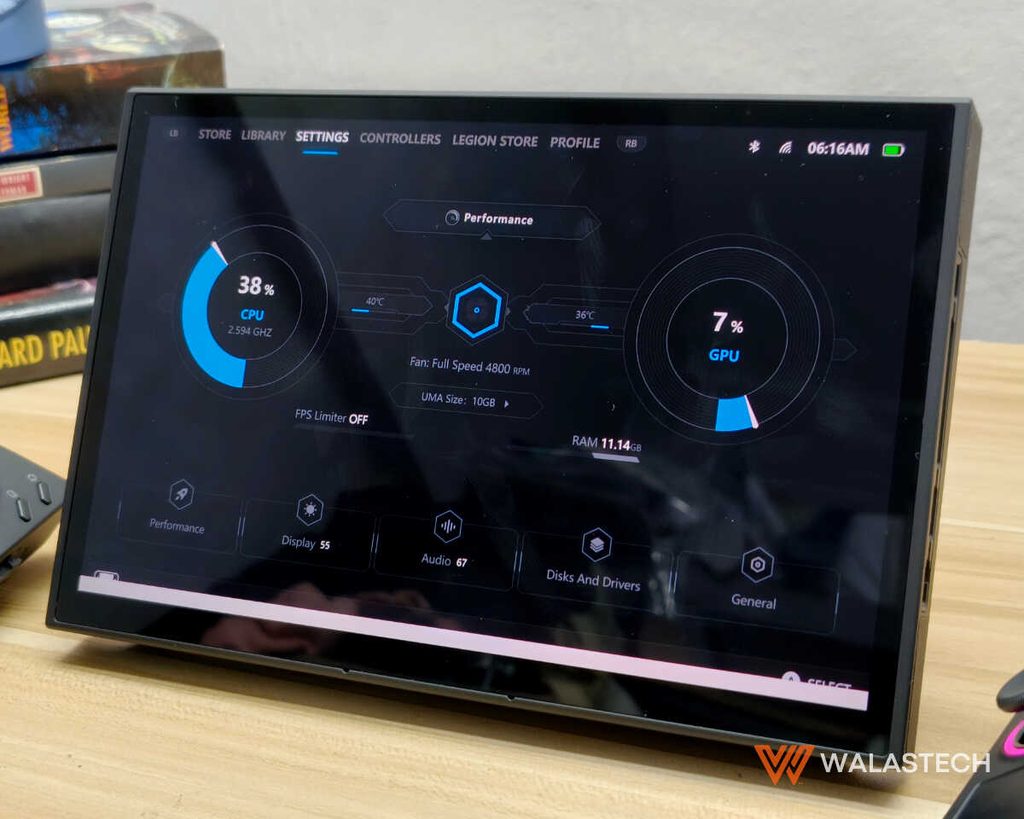
Under sustained workloads, the Go 2 can become warm and the fans become noticeable, particularly when running Performance Mode. That’s expected from a handheld pushing a desktop-class workload through an integrated GPU, and the noise becomes the price you pay for extracting the most performance from the hardware.
The important thing is that the heat is generally managed well enough that the grips remain usable during gaming. The rear exhaust area naturally becomes warmer, but the overall thermal design allows the system to maintain performance without making the entire chassis uncomfortable to hold.
For demanding games, Performance Mode is best used while connected to power. If you’re playing away from an outlet, Balanced mode makes more sense because it reduces both heat and power consumption while still providing enough performance for less demanding games.
Software and User Experience
Windows 11 gives the Legion Go 2 access to practically the entire PC gaming ecosystem, which is both its greatest strength and its biggest software weakness.
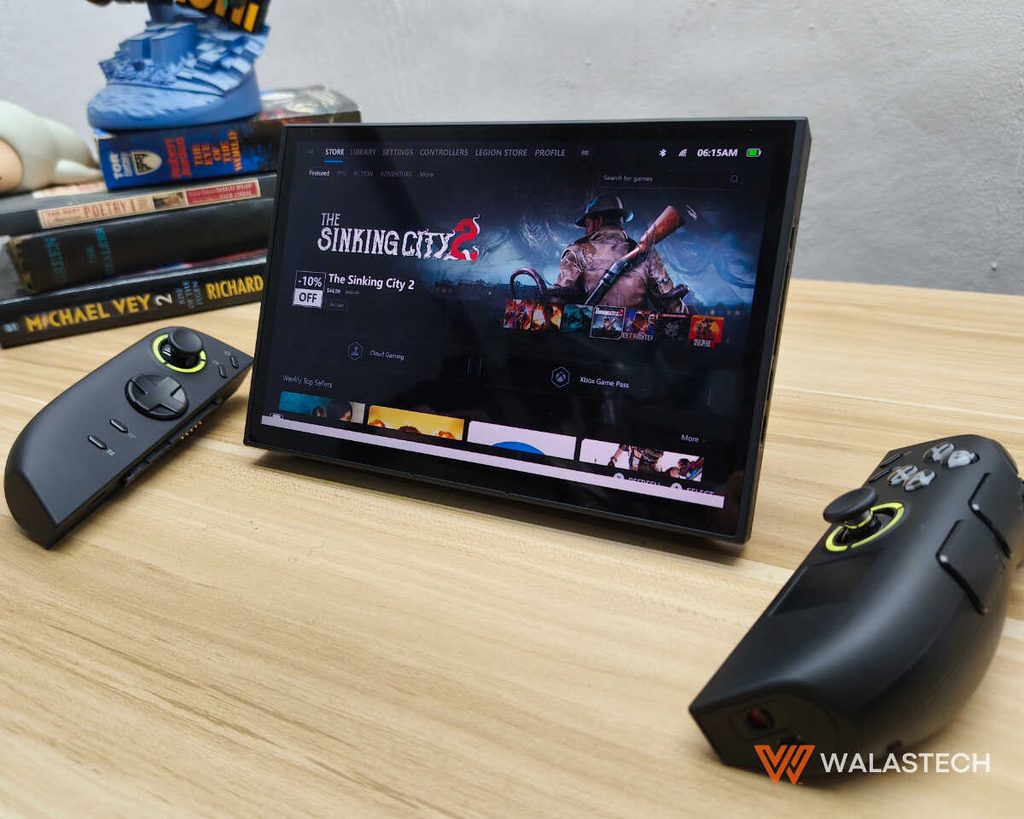
You can install Steam, Xbox Game Pass, Epic Games, Battle.net and other launchers just as you would on a normal Windows PC. There is no need to wait for a game to receive support for a specific handheld platform, and you can install practically any Windows-compatible application.
The downside is that Windows still behaves like Windows.
Touch controls work, but navigating desktop interfaces with a joystick isn’t always ideal. Game launchers can also behave differently, Windows notifications can appear at inconvenient times, and certain settings are much easier to manage with a mouse and keyboard.
Lenovo’s Legion Space software helps by putting device controls and gaming features in one place, but it doesn’t completely change the underlying Windows experience.
This is less of an issue if you already use Windows regularly. If you’re expecting something that behaves like a traditional console, however, there is a learning curve.
Connectivity and Expansion
The Legion Go 2 is well equipped when it comes to connectivity, with two USB-C 4 ports, a microSD card reader and a 3.5mm headphone jack. The two USB-C ports are especially useful because one can handle charging while the other can be used for an external display, storage device, USB hub or other accessory.
This makes the Legion Go 2 surprisingly capable as a desktop replacement in short bursts. Connect it to a monitor, keyboard and mouse and you have a compact Windows PC with enough processing power for everyday productivity.
The microSD card slot is equally important because PC games are getting enormous. A 1TB SSD provides a reasonable starting point, but installing several large AAA games can consume that space very quickly. Expanding the library with a microSD card is therefore useful, particularly for games that don’t require the fastest possible storage performance.
Battery Life
The 74Wh battery is one of the most significant hardware upgrades in the Legion Go 2. It is substantially larger than the battery found in the original model and gives the Z2 Extreme more capacity to work with, which is especially useful when running the device at higher performance levels.
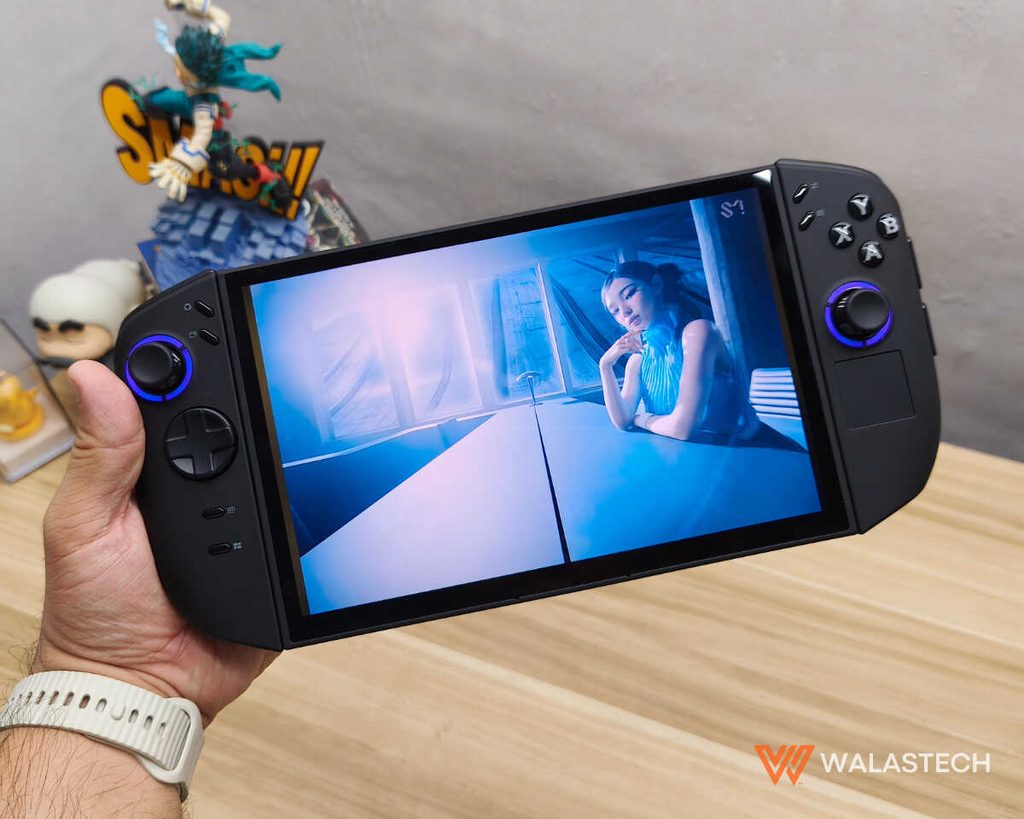
That doesn’t mean the Legion Go 2 suddenly becomes an all-day gaming machine. Demanding AAA games can consume a substantial amount of power, particularly when Performance Mode is enabled and the display is running at a high refresh rate. In those conditions, around two to three hours of gaming is a realistic expectation, while lighter games and lower-power modes can stretch considerably further.
The 65W USB-C charging support helps make the limitation easier to live with. If you’re near an outlet, the device can continue running at higher performance while charging, and the two USB-C ports make it possible to connect accessories without sacrificing the charging connection.
The Rundown
Best for: Gamers who want a full Windows gaming PC in a handheld form factor. The Legion Go 2 makes the most sense for someone who already has a substantial PC game library and wants the flexibility to take it elsewhere. Its large OLED display, detachable controllers and powerful hardware also make it particularly appealing for people who don’t want to compromise on screen size just to get a portable gaming device.
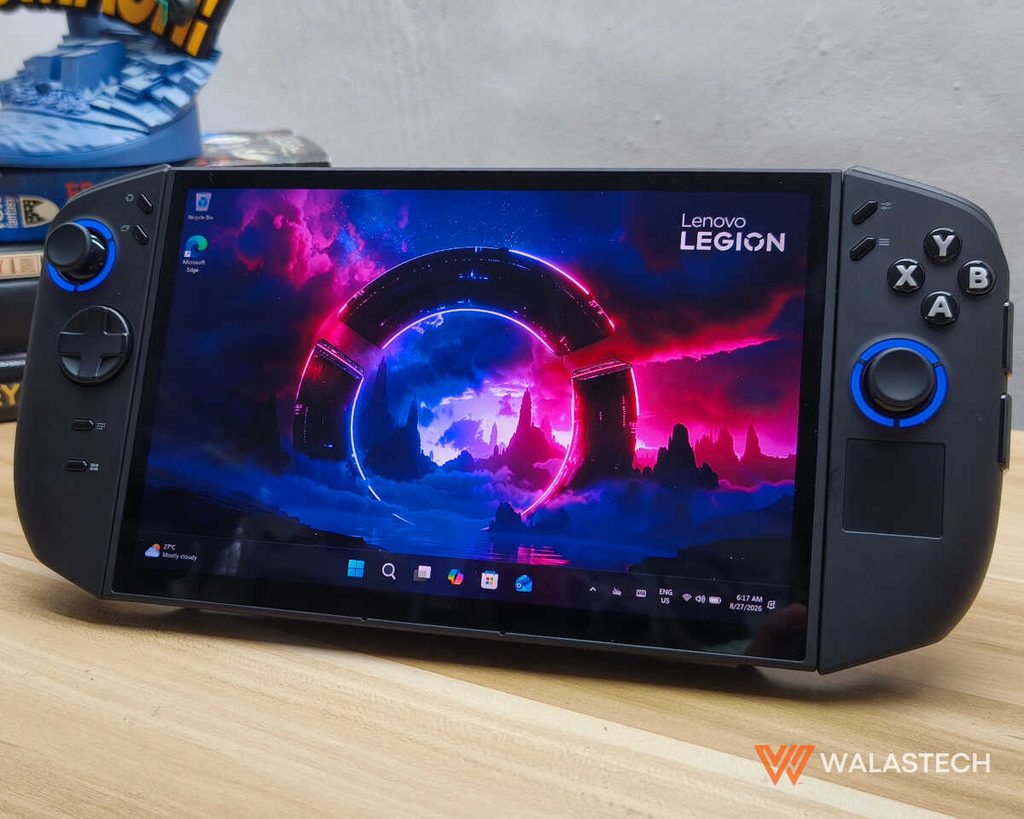
It is also a strong option if you want a portable computer that can double as a gaming system. With its 32GB RAM, fast SSD and Ryzen Z2 Extreme processor, it has enough power for everyday productivity when paired with the appropriate peripherals.
Skip if: You want the smallest and lightest gaming handheld possible. The Legion Go 2 is big, and its 920-gram weight is something you’ll notice. It also isn’t designed for people who expect every modern AAA game to run at Ultra settings and native resolution. Getting the best performance requires some willingness to adjust graphics settings, resolution and upscaling.
WalasTech Worthy Feature: What makes the Legion Go 2 stand out isn’t just its performance, but how easily it can change roles depending on how you use it. The detachable controllers and built-in kickstand let it work as a conventional handheld or a more relaxed gaming setup, while its two USB-C ports make it easy to connect a monitor, keyboard, mouse, or other peripherals.
With Windows 11, the same device can also handle everyday productivity tasks when you’re away from your main computer. It may be a large handheld, but that size and flexibility give the Legion Go 2 a purpose beyond simply playing games.
The Lenovo Legion 2 in the Philippines starts at PHP 74,995 for the variant with the AMD Ryzen Z2, while the one with the Ryzen Z2 Extreme goes for PHP 137,995. You can now puchase this at Lenovo stores and authorized dealers nationwide (ie Datablitz).
Get the latest from WALASTECH directly on your Google feed.
Add as a preferred source on Google