

The MelGeek MADE68 Ultra V2 HE Gaming Keyboard is packed with Hall Effect technology, but what stood out to me after using the Night Purple version with Flip King switches was not a specification on the box. It was how quickly I got comfortable typing on it, and how satisfying each press felt once I adjusted to its sensitivity.
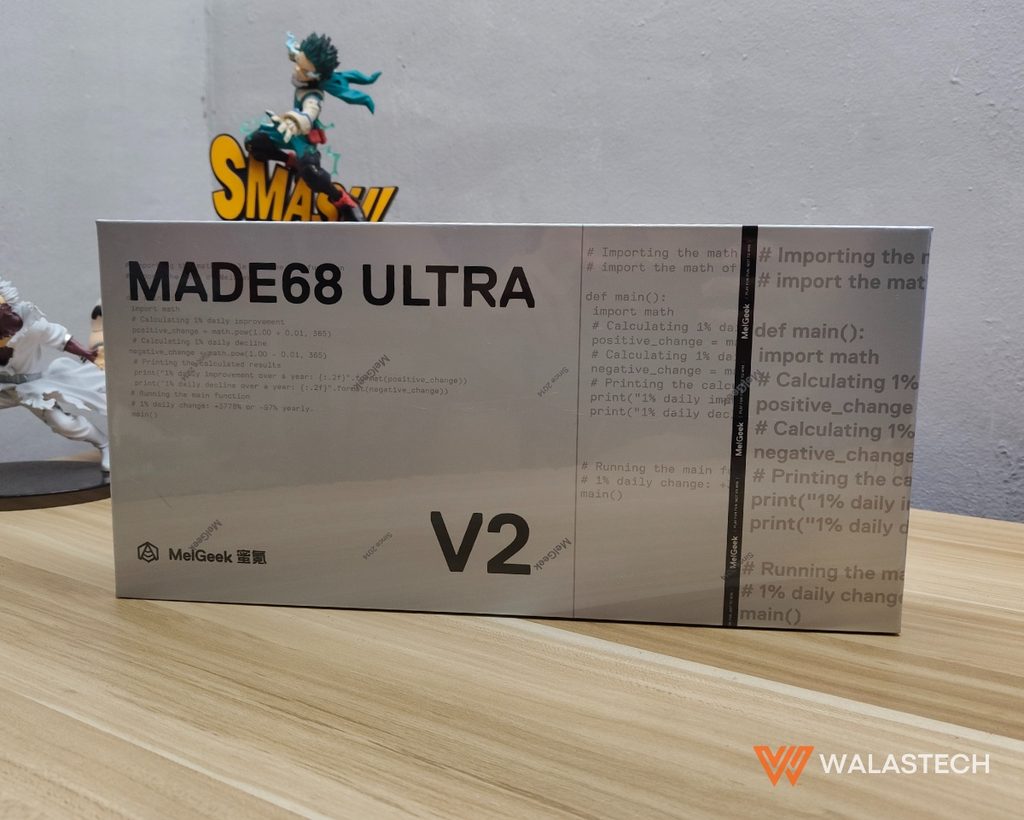
It looks great, feels great, and has more customization than I probably need. But there are also a few decisions here that I think buyers should know about before spending the money. Here’s our Full Review.
MelGeek MADE68 Ultra V2 Specifications
- Layout: 68 keys
- Switch: MelGeek Flip King Magnetic Switch
- Switch Type: Hall Effect Magnetic
- Switch Travel: Adjustable from 0.1mm to 3.4mm
- Total Travel: 3.5 ± 0.2mm
- Polling Rate: 8,000Hz
- Scan Rate: 8,000Hz
- Latency: 0.125ms
- Accuracy: 0.01mm
- Rapid Trigger: Adjustable from 0.01mm to 2.5mm
- Dead Zone Control: Fully adjustable
- Hot-Swappable: Supported
- Mounting: Silicone-dampened gasket mount
- Internal Padding: 5-layer sound-dampening system
- Material: Full aluminum alloy chassis and side panels
- Lighting: Full-screen backlit lighting system with illuminated interlocking side panels
- Dimensions: Approximately 319 × 117 × 40mm
- Front Height: Approximately 18mm
- Tilt Angle: Approximately 7°
- Weight: Approximately 1,175g
- Connection: Wired USB-C
- Software: MelGeek Hive 2.0
- Color: Night Purple
Unboxing: The package includes the keyboard, USB cable, documentation, and other accessories, including a keycap and switch remover tool. There are also extra keycaps for those using it with a Mac desktop. From there, it is essentially plug it in, open MelGeek Hive through a browser, and start configuring it.
We also received separate packages for additional side panels and light bar covers, which is where the MADE68 Ultra V2 starts to show what makes it different from a typical gaming keyboard. The keyboard is designed around replaceable and interchangeable parts, so the unboxing is really just the beginning of what you can do with it.
Design and Construction
The MADE68 Ultra V2 feels like a keyboard built to stay on a desk. Its CNC aluminum construction gives it a solid, premium feel, while its weight keeps it firmly planted during use. It is noticeably hefty, which could be a problem if you regularly carry your keyboard between locations, but I actually like it for everyday use.
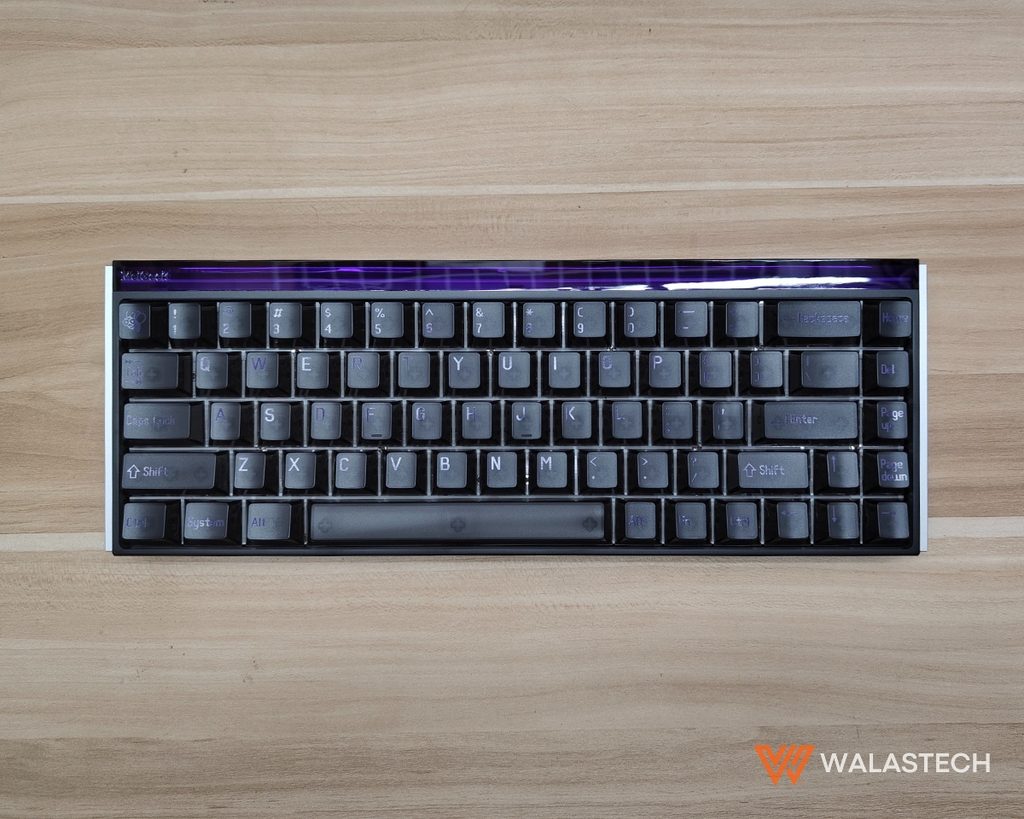
It is not trying to be a simple, lightweight board that disappears into your desk setup. The keyboard feels substantial from the moment you take it out of the box, with its aluminum construction and hefty body immediately making an impression.
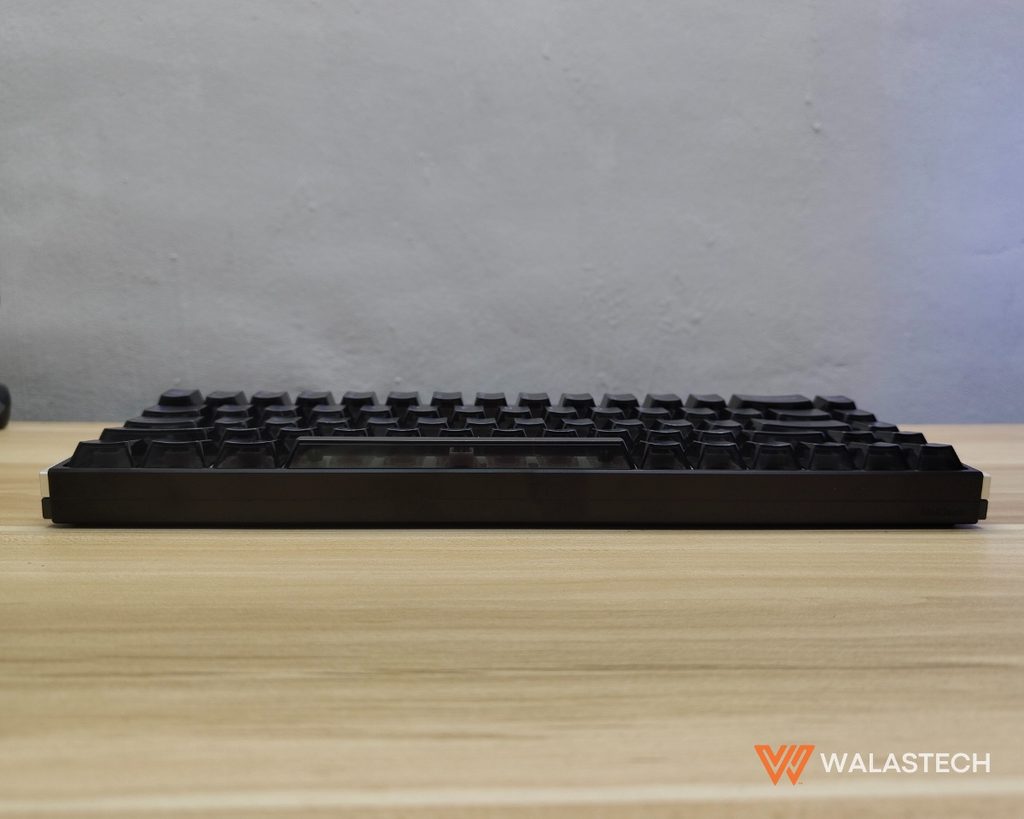
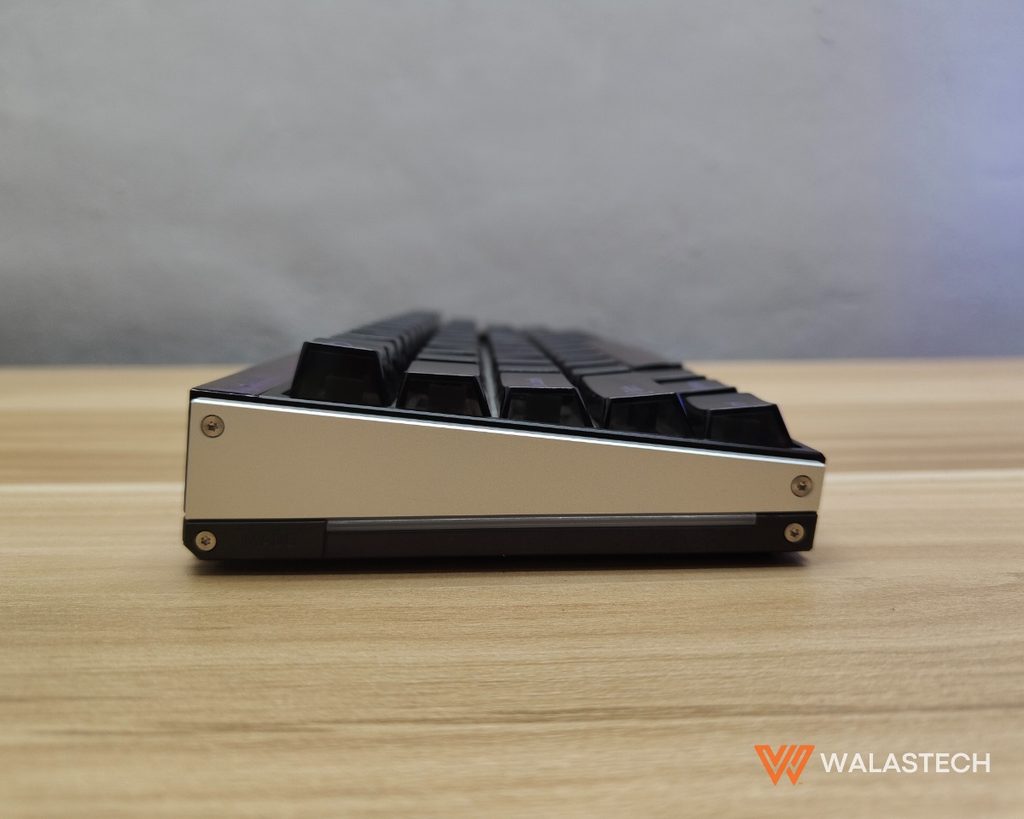
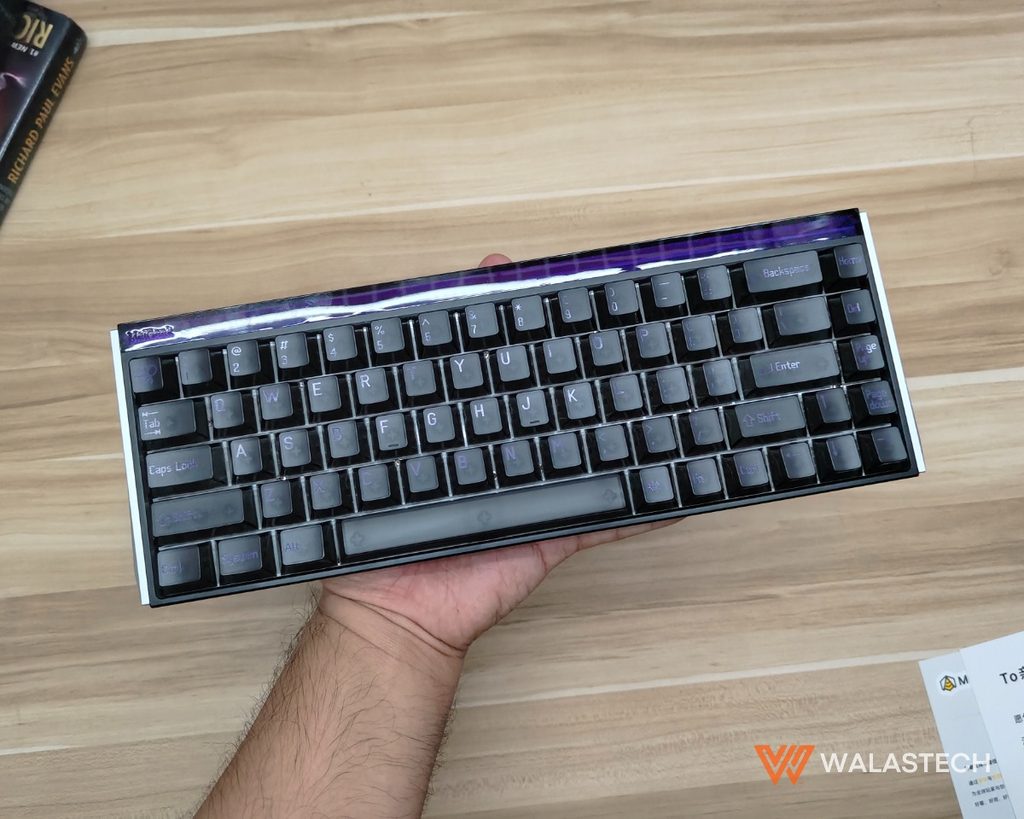
My unit is the Night Purple variant with Flip King switches. The color gives it a distinctive look without relying entirely on the RGB lighting to make it interesting. Once connected and illuminated, however, the keyboard becomes much more visually expressive, particularly with the lighting around the sides and the top bar.
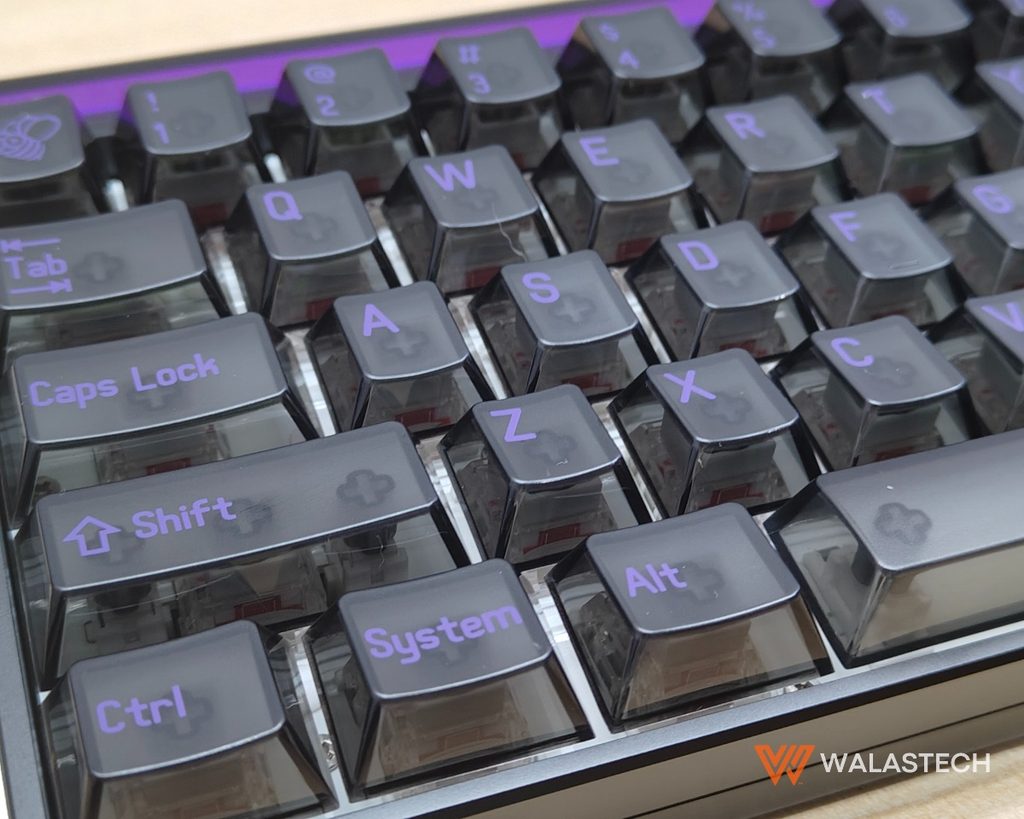
The 68-key layout is compact without feeling too restrictive. It keeps the dedicated arrow keys while cutting down on the footprint of a traditional keyboard, leaving more room around it for other peripherals.
There’s only a single USB-C port here, along with a mode switch that toggles the keyboard’s lighting settings depending on the available presets.
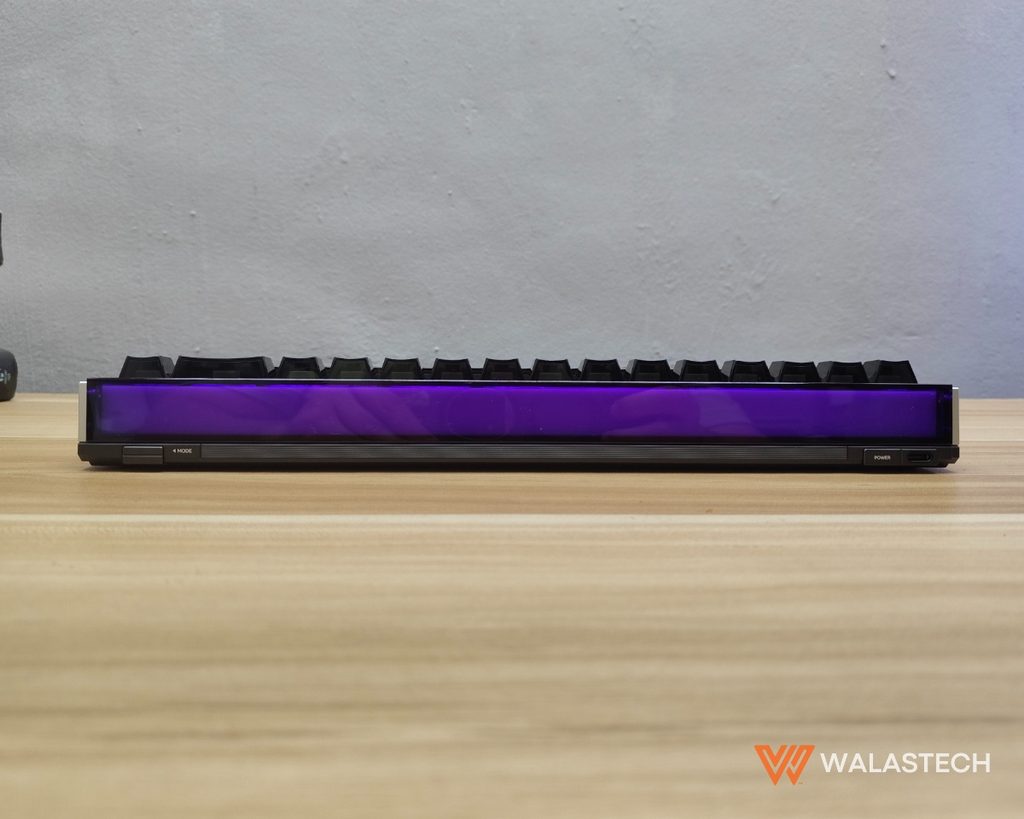
The typing angle is fixed at around seven degrees, and there are no adjustable feet for users who prefer to fine-tune the keyboard’s height or angle. I did not find the default position uncomfortable, but it is something to consider if you are particular about keyboard ergonomics.
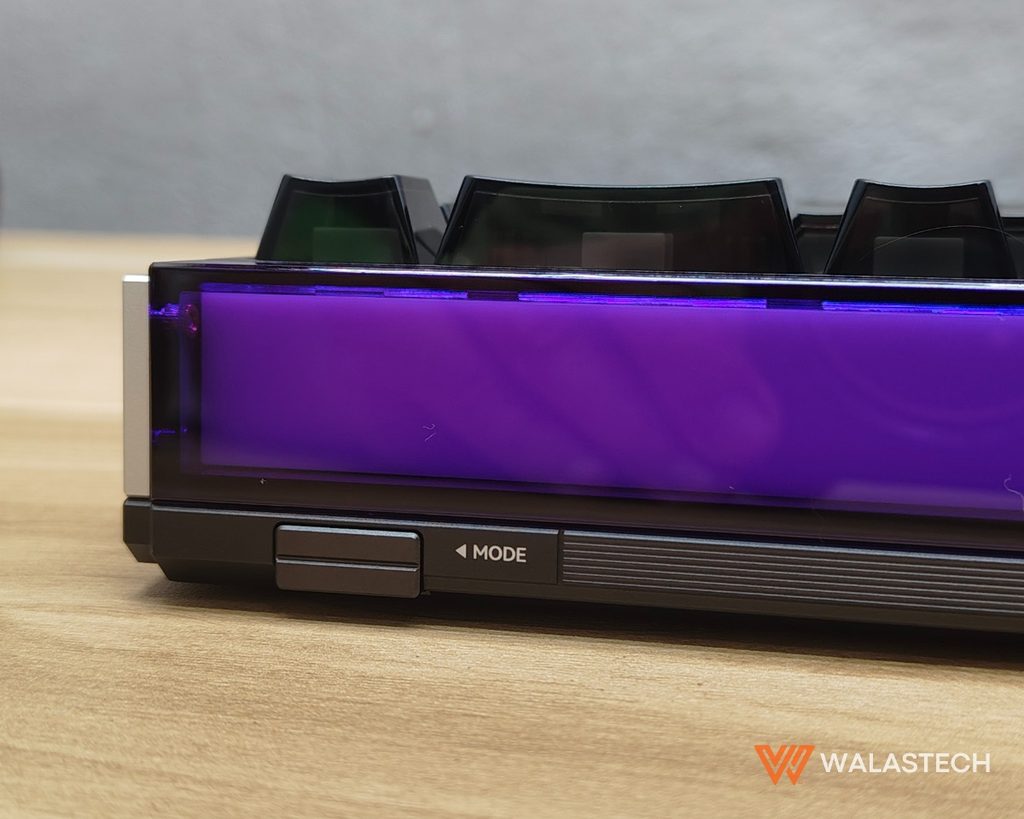
The weight is similarly a matter of perspective. At approximately 1,175 grams, it is not something I would want to carry around frequently. On a desk, however, I appreciate it. When I am typing, the keyboard stays where I put it. When I am playing Valorant, I do not have to constantly reposition it after moving my hands around.
That stability is one of those things that is easy to overlook until you use a keyboard that does it particularly well.
Customization
This is probably the most entertaining part of the MADE68 Ultra V2. The keyboard is designed around modular customization, and this goes far beyond changing RGB effects. The side panels, light bar covers, and light guide panels can be swapped and mixed to create different looks.
There are 11 side panel designs, seven light bar options, and 10 light guide panel options, giving up to 770 possible combinations before even considering different keycaps, switches, colors, or lighting effects.
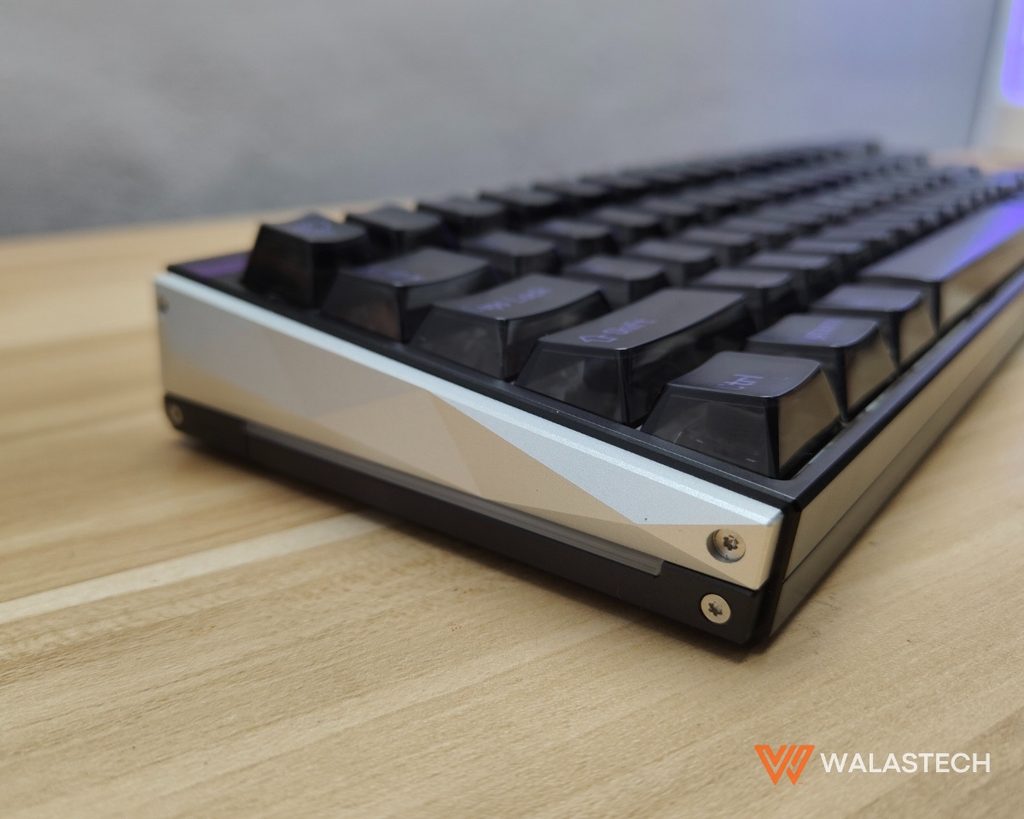
The side panels themselves can also come in different materials, including CNC-machined aluminum alloy, polymer, and carbon fiber. The top and bottom portions use an interlocking design that allows different materials and colors to be combined, while the design also supports custom 3D-printed parts.
This is what makes the MADE68 Ultra V2 more interesting to me than a keyboard that simply offers a lot of RGB presets. You can actually change parts of the physical keyboard to suit your setup.
The keyboard also supports hot-swappable magnetic switches, so the customization is not limited to its exterior. Users who want to experiment with compatible switches can do so without replacing the entire keyboard.
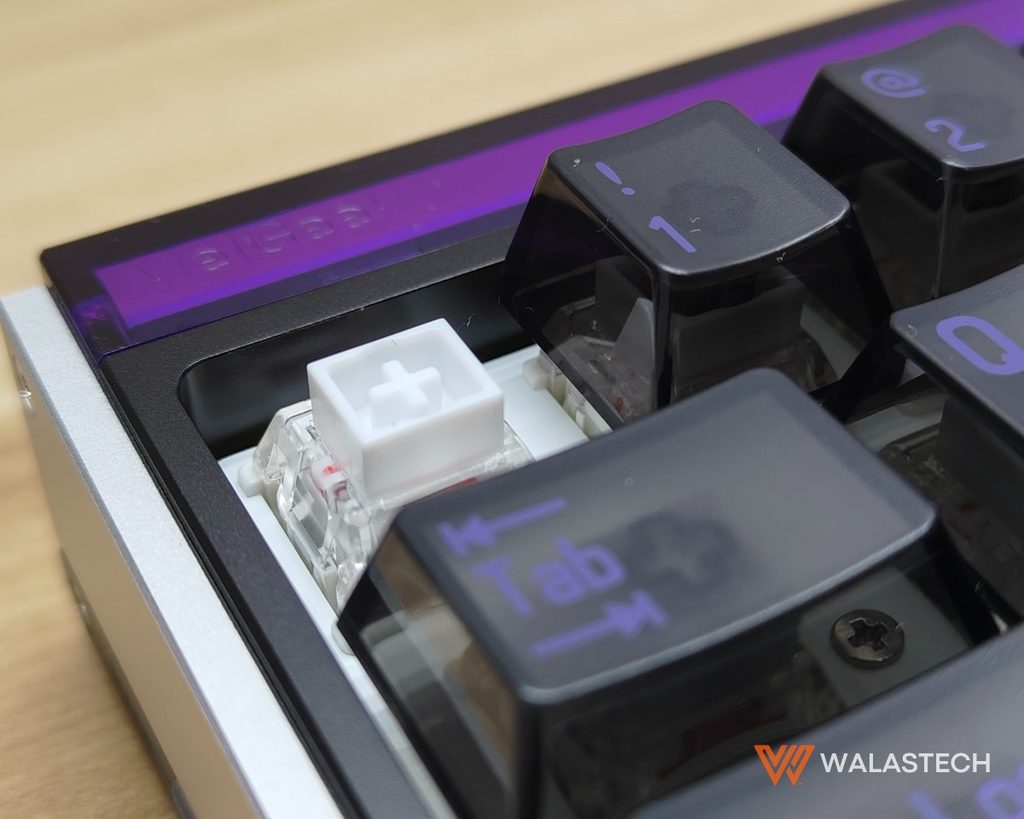
That gives the MADE68 Ultra V2 a more DIY-oriented character than most gaming keyboards. You can keep the stock design, change a few elements, or go much further and create something that looks considerably different from the keyboard you originally bought.
Typing Experience
This is where the MADE68 Ultra V2 really surprised me I am used to typing on a keyboard with brown switches, so the Flip King switches immediately felt somewhat familiar in terms of sound. The actual experience, however, is noticeably different.
The keys are sensitive. Very sensitive. Even a slight press can trigger a key. Coming from a traditional mechanical keyboard, this took some getting used to because my fingers were initially applying more pressure than necessary.
After spending more time with the keyboard, however, I started to appreciate the sensitivity rather than fight it. Typing feels faster even as I finish this review.
The keys seem to require less travel before registering, and I can move from one letter to another without feeling like I need to push every key all the way down. That gives the keyboard a very responsive rhythm, particularly when I am writing quickly.
More importantly, I find it easier to type on than several keyboards I have previously used. That was not something I expected going into the review. Hall Effect keyboards are often discussed primarily around gaming features, but for me, the typing experience ended up being one of the MADE68 Ultra V2’s biggest strengths.
It is also simply fun. There is a certain satisfaction in the way the keys respond to light presses. Once you get the amount of pressure right, typing becomes very fluid.
The keyboard’s internal construction also plays a role in the experience. MelGeek uses a silicone-dampened gasket structure with a six-pair upper and lower silicone coaxial damping design. The keyboard also has a five-layer sound package designed to control resonance, vibration, and bottom-out noise.
The system includes PORON sandwich foam, a composite switch lower pad, damping silicone rings, latex bottom foam, latex enclosure foam, floating silicone springs, and filling silicone.
I do not necessarily think about all those layers while typing, but I can feel the result. The board has a softer, more controlled feel rather than a harsh bottom-out, and the sound is relatively focused.
There is still a learning curve. If you are heavy-handed or coming from a keyboard with a much deeper actuation point, accidental inputs can happen while you are getting accustomed to it. I have experienced this myself, particularly when resting my fingers near the arrow keys while watching something and accidentally pressing one.
But I would not consider that a major problem. It is more about retraining your fingers to take advantage of how sensitive the keyboard can be.
Gaming Performance
The same sensitivity that makes the MADE68 Ultra V2 interesting for typing becomes particularly useful when gaming.
I spent time playing Valorant with the keyboard, and this is where the adjustable actuation and Rapid Trigger features become more noticeable. The actuation can be adjusted from 0.1mm to 3.4mm, while Rapid Trigger can be configured from 0.01mm to 2.5mm.
There is also customizable dead-zone control, which gives users another way to fine-tune how the keys respond and help maintain stable inputs.
Movement feels quick and immediate. Small inputs register quickly, and repeated directional movements feel natural once you have adjusted the settings to your preference.
The keyboard also reports 0.125ms latency and 0.01mm accuracy, alongside its 8,000Hz polling and scanning rate. While these numbers are impressive, what mattered more during my use was how responsive the keyboard actually felt.
The MADE68 Ultra V2 also has an Esports mode in Hive that can be used to follow settings from professional players. This is a useful starting point for anyone who does not want to spend time figuring out every setting from scratch.
The heavy aluminum body also helps here. The keyboard stays firmly in place when I am making quick movements, so I am not fighting the hardware while playing.
For Valorant in particular, I enjoyed the MADE68 Ultra V2 because it felt responsive without requiring me to think about the keyboard itself. Once the settings were where I wanted them, the inputs simply felt natural.
Lighting and Keycap Visibility
The lighting system deserves its own section because it is more elaborate than what you normally get from a gaming keyboard.
The MADE68 Ultra V2 uses a full-screen backlit lighting system, with the side lighting designed to work together with the light guide system. The keyboard has been upgraded from 35 single-row LEDs in the previous generation to 189 triple-row LEDs, allowing for brighter and more layered lighting effects.
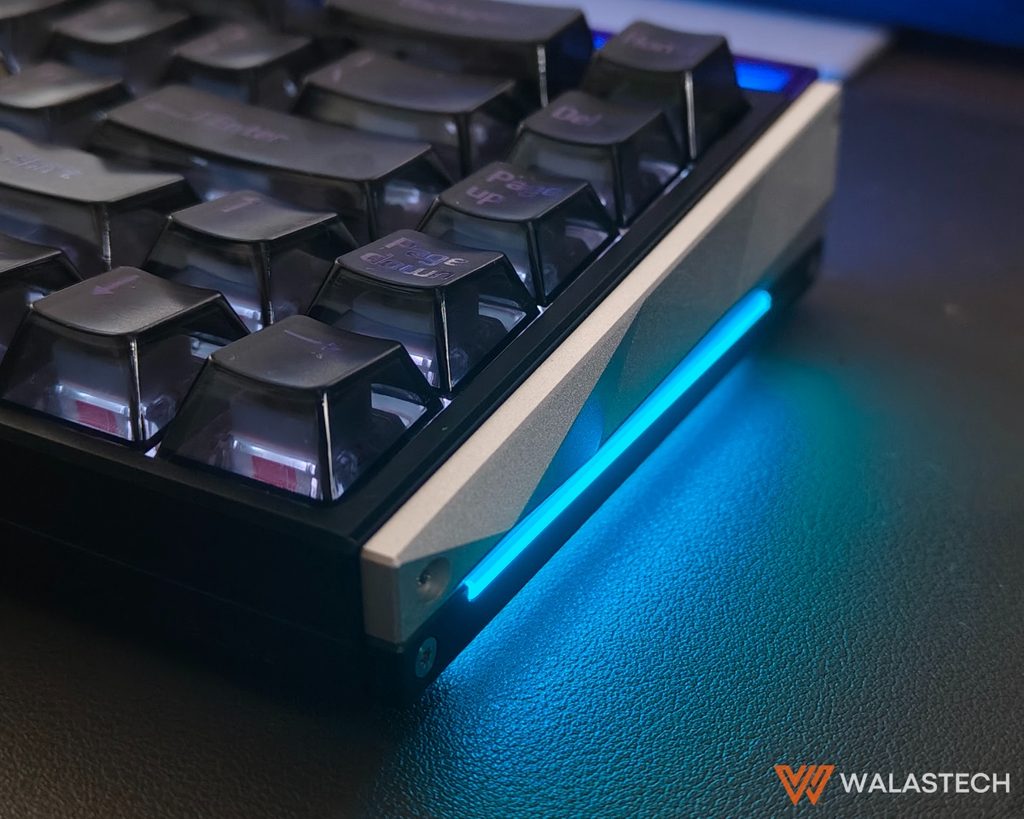
The side and bottom illumination can also work together with the light panel to create synchronized multi-zone effects.
There are several ways to make the lighting react to what is happening around the keyboard. Hive 2.0 supports game-sync lighting, currently with Valorant support, as well as an AI lighting generator that creates lighting effects from text prompts.
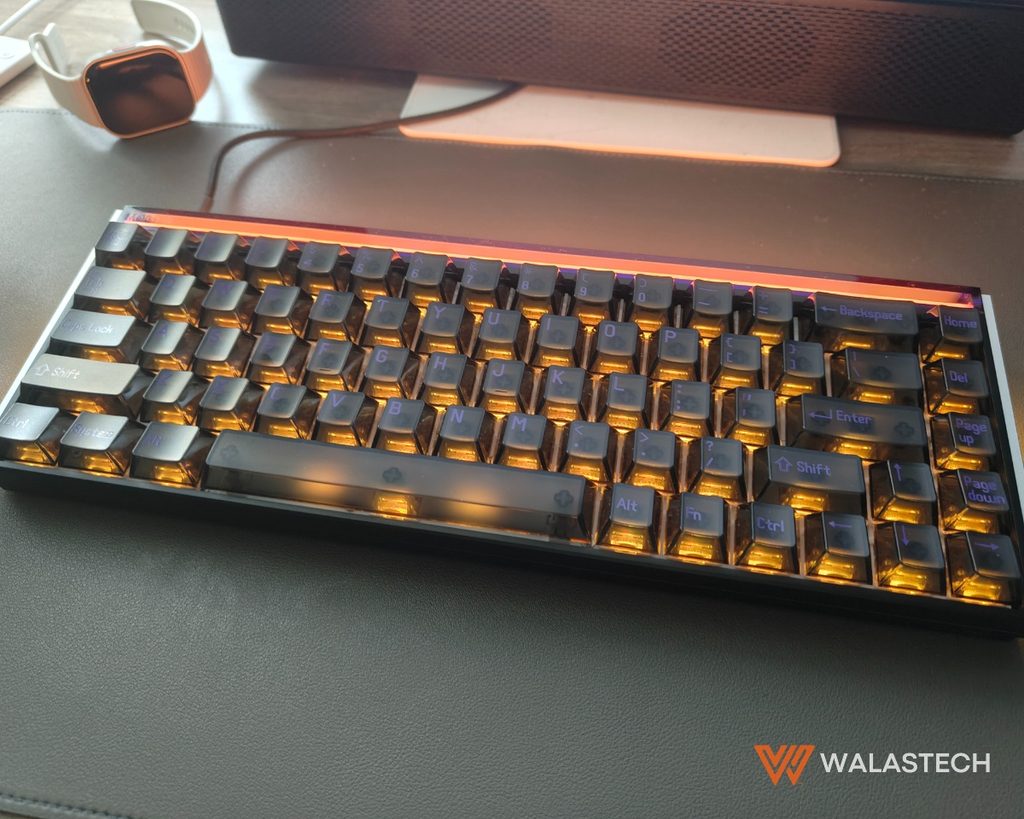
There is also music rhythm lighting with four selectable modes and screen-sync lighting that converts images into lighting effects.
That gives the keyboard considerably more flexibility than simply selecting between a rainbow effect and static colors.
The keycaps themselves are still a mixed bag for me. When the lighting is turned on, they look fantastic. The translucent design allows the RGB lighting to shine through, and combined with the side lighting and top bar, the entire keyboard can look completely different depending on the lighting pattern.
The problem is that the letters are not always easy to see. In darker environments, I sometimes have trouble identifying specific keys because the illumination can make the legends difficult to distinguish. This is particularly noticeable when I am looking for a specific function or key rather than simply typing.
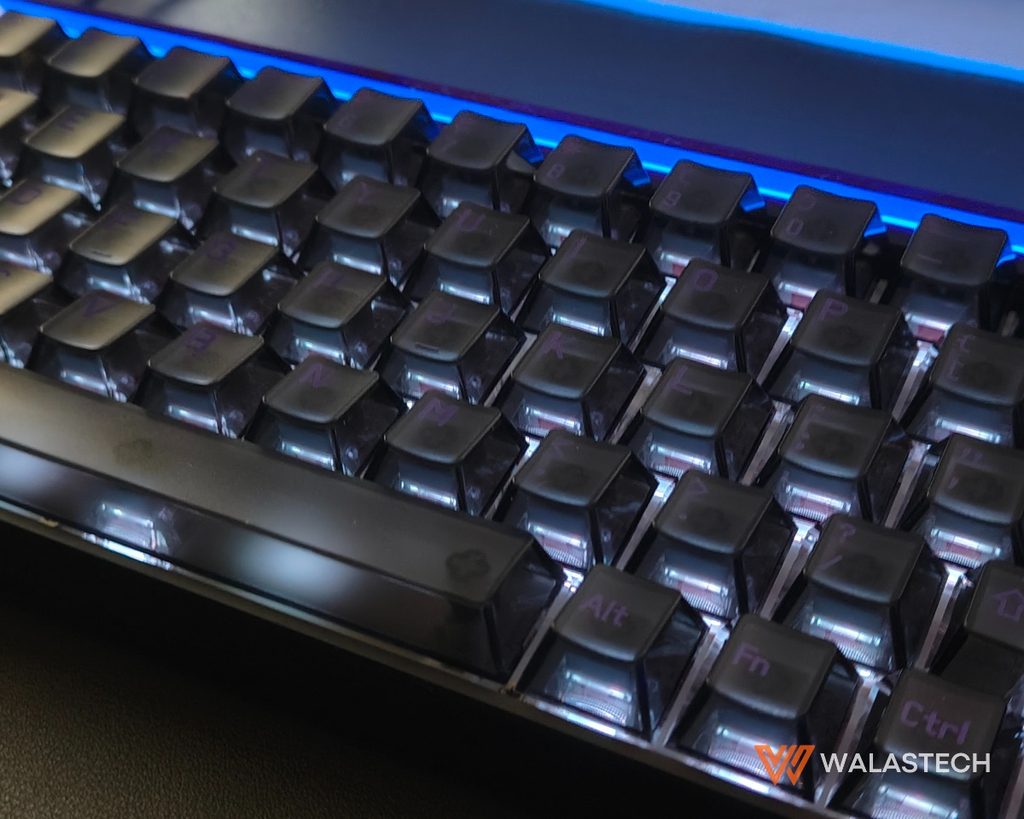
It is an odd trade-off. The lighting makes the keyboard more attractive, but it can also make the keyboard harder to read.
Fortunately, this can be solved with a different set of keycaps. Since the keyboard supports customization and replacement of its components, users who prioritize readability can swap the stock keycaps for something that works better for them.
Software and Profiles
MelGeek Hive 2.0 is another significant part of the MADE68 Ultra V2 experience. The keyboard can be configured through a browser, which I appreciate because I do not have to install another dedicated application just to change my settings. If you prefer having an installed application, Hive 2.0 can also be downloaded for offline customization.
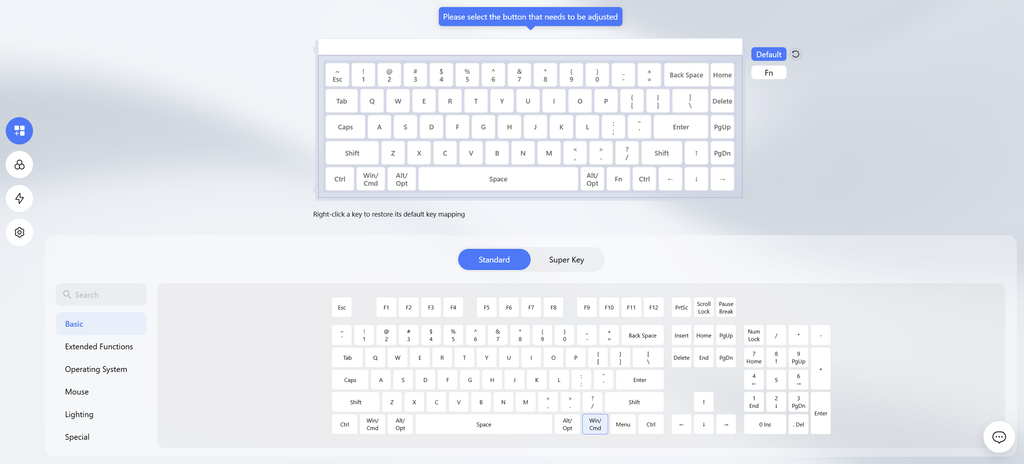
The software also gives the keyboard a practical profile system.
Four profiles are provided by default: Default, Typing, Rapid Key, and E-sports. You can have up to five profiles stored directly on the keyboard, while up to eight additional profiles can be saved in the cloud with a MelGeek Hive account.
Switching between the onboard profiles is also quick, which makes the feature useful rather than something you configure once and forget.
This means the keyboard does not necessarily have to behave the same way for every activity. I can have a typing-oriented configuration for work, another setup for gaming, and different lighting preferences without having to manually rebuild the settings every time.
The software is also where you access features such as the AI lighting generator, music-reactive lighting, screen synchronization, game synchronization, key actuation, Rapid Trigger, and other keyboard settings.
If you want total customization, the Hive 2.0 is easy enough to use. Users who want to explore the deeper Hall Effect controls have plenty to work with, while those who simply want to change the lighting or switch profiles can do so without much effort.
Connectivity
The MADE68 Ultra V2 has one major compromise that is difficult to ignore: it is wired only. There is no Bluetooth and no 2.4GHz wireless connection.
For my setup, this is not necessarily a problem. The keyboard stays on my desk, and I have no issue connecting it through USB. A wired connection also means I do not have to worry about charging a battery. For someone who keeps their keyboard permanently connected to a desktop, however, this is much less of an issue.
The Rundown
Best For: The MelGeek MADE68 Ultra V2 HE Gaming Keyboard is best for users who want a premium Hall Effect keyboard that can handle both gaming and everyday typing. It is particularly suited for competitive FPS players who can take advantage of its adjustable actuation and Rapid Trigger, while writers and content creators can also benefit from its fast and enjoyable typing experience. It is also a good fit for users who enjoy customizing their desk setup, especially those who want to change not only the lighting but also the physical appearance of the keyboard.
Skip If: You may want to skip the MADE68 Ultra V2 if wireless connectivity is important to you, as it only works as a wired keyboard despite its premium price. It is also not the best choice if you frequently move your keyboard around because of its hefty weight. Users who prefer adjustable typing angles may also find the fixed design limiting, while those who regularly need to look at their key legends in dark environments may be frustrated by the translucent keycaps.
WalasTech Worthy Feature: The MADE68 Ultra V2 earns its WalasTech Worthy consideration for its modular approach to customization. This is not simply a keyboard where you change the RGB and call it customized. The replaceable side panels, light bar covers, light guide panels, compatible switches, and keycaps give you the ability to physically change the keyboard as well as its behavior. With up to 770 combinations from the available side panel, light bar, and light guide options alone, it offers a level of personalization that is genuinely unusual.
The MelGeek MADE68 Ultra V2 Keyboard is now available at their website for USD 239 (BUY HERE), or around PHP 15,000 when directly converted. Use the code WALASTECH at checkout and get a special treat!
Get the latest from WALASTECH directly on your Google feed.
Add as a preferred source on Google