

A big screen is easy to sell as a student feature. Making a tablet genuinely useful for learning is another matter. With the TECNO MEGAPAD 2, the brand puts education at the center of the experience, while also making the tablet ready for work, connectivity, and everyday entertainment.
But can a tablet really be built around learning? The MEGAPAD 2 tries to answer that with more than just a large screen and a few productivity apps. Here’s what you get when TECNO puts education at the center of the tablet experience.
Why it Matters: For students, a tablet needs to do more than display lessons. It needs to be easy to carry, stay connected outside Wi-Fi, handle documents, support typing, and provide tools that can actually help with schoolwork. This is where the MEGAPAD 2 makes its case.
TECNO MEGAPAD 2 Specifications:
- Display: 11-inch IPS LCD, 2560 x 1600 resolution, 90Hz refresh rate
- Processor: MediaTek Helio G99
- RAM: 6GB / 8GB
- Storage: 128GB / 256GB
- Expandable Storage: microSD up to 2TB
- Rear Camera: 8MP with LED flash
- Front Camera: 8MP
- Audio: Quad speakers with Dolby Atmos
- Operating System: Android 16 with HiOS 16
- Connectivity: Single SIM (nano), 4G LTE, Wi-Fi, Bluetooth 5.3, GPS
- Dimensions: 257.3 x 168.5 x 6.6mm
- Weight: 547g
- Colors: Gray
- Battery: 8,200mAh
- Charging: 18W wired
TECNO MEGAPAD 2 Review: Design and Construction
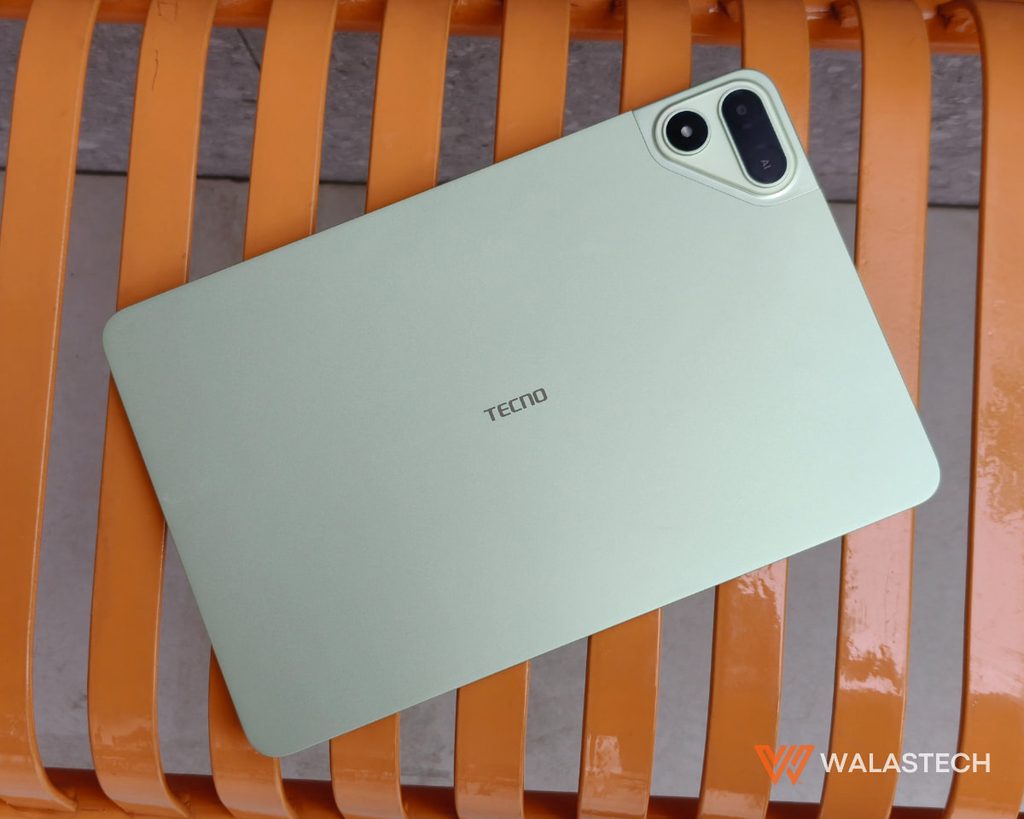
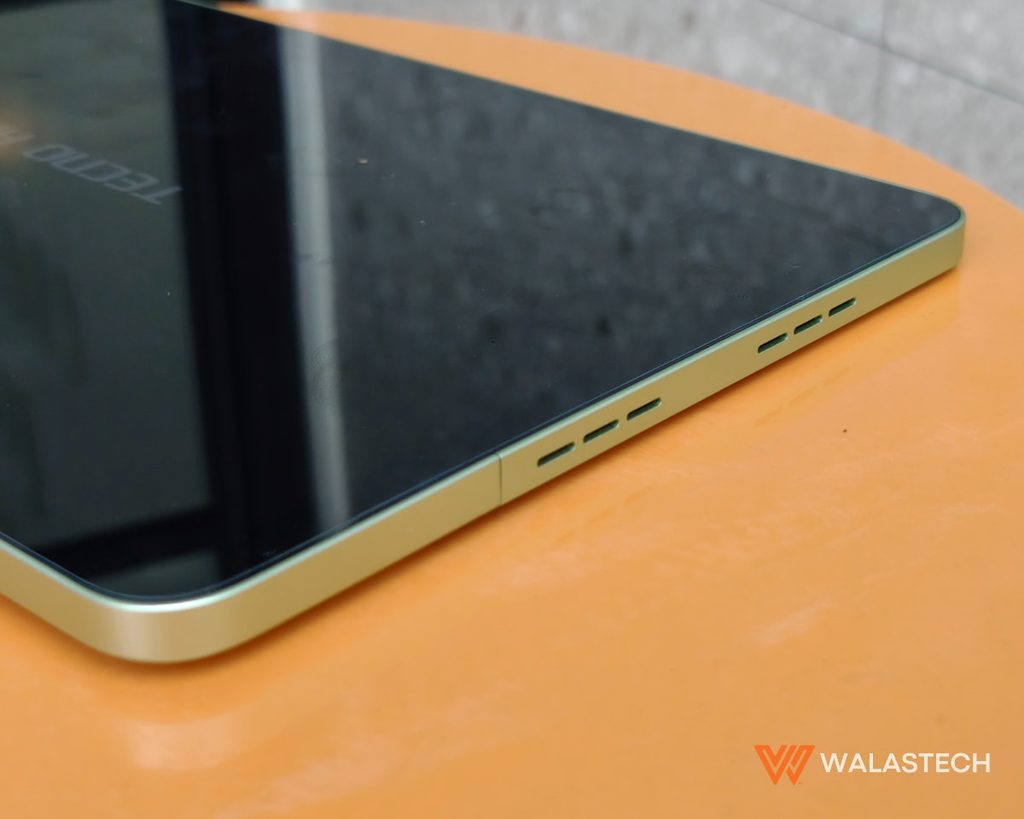
The first thing we noticed about the TECNO MEGAPAD 2 is how thin it is. At 6.6mm, the tablet has a slim profile that makes it easy to carry around. The full-metal body also gives it a more solid feel, while its weight of under 500 grams keeps it manageable for students who need to bring it to school.
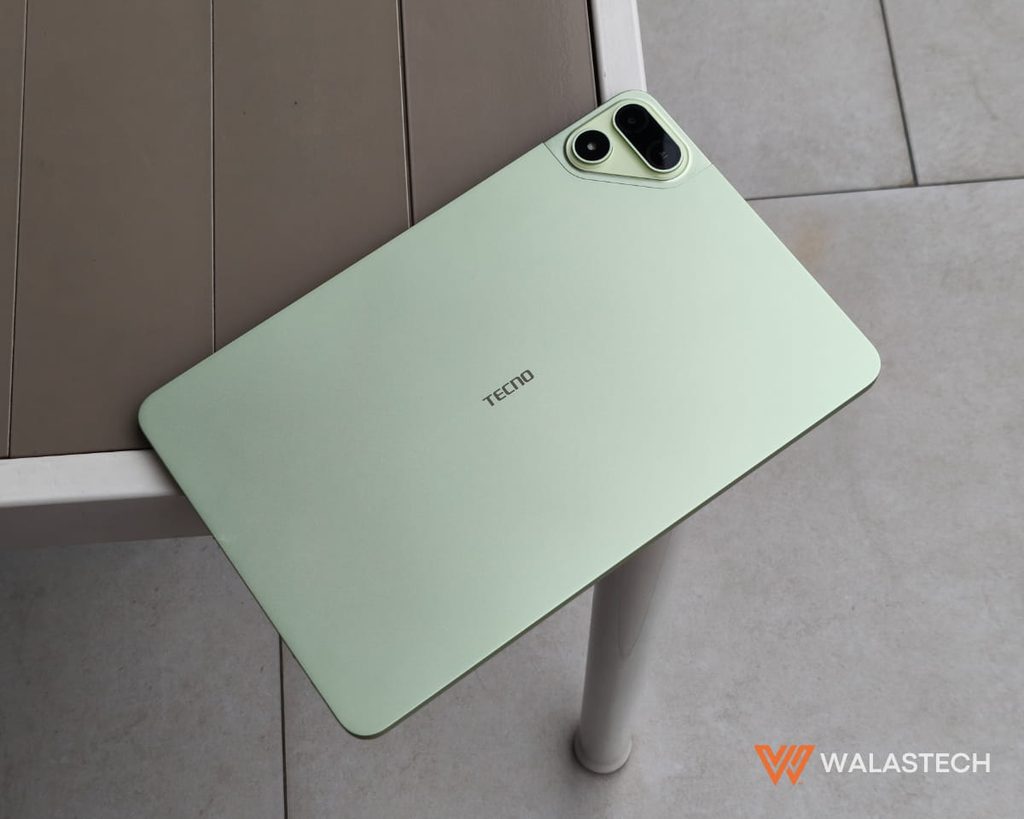
The design works particularly well with the tablet’s intended purpose. It does not feel like something that needs to stay on a desk. You can carry it around, pull it out when you need to read something, and pair it with the keyboard when it’s time to work.
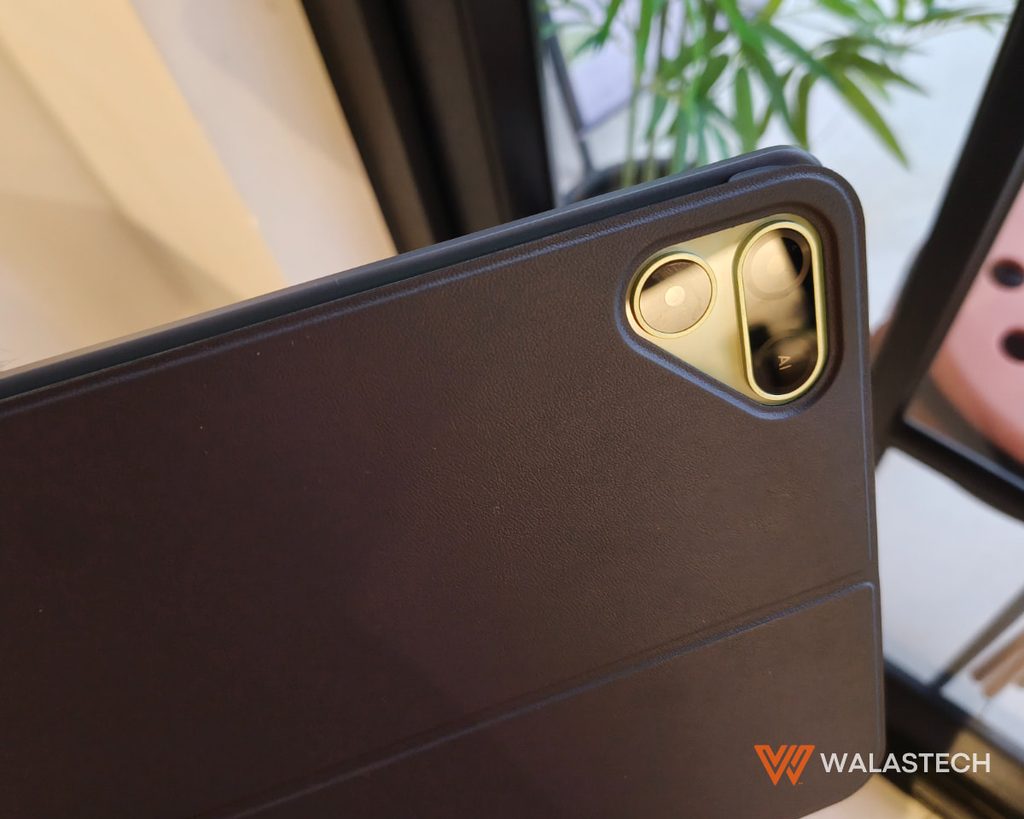
The rear camera module gives the tablet some visual character, although photography is clearly not its main purpose.
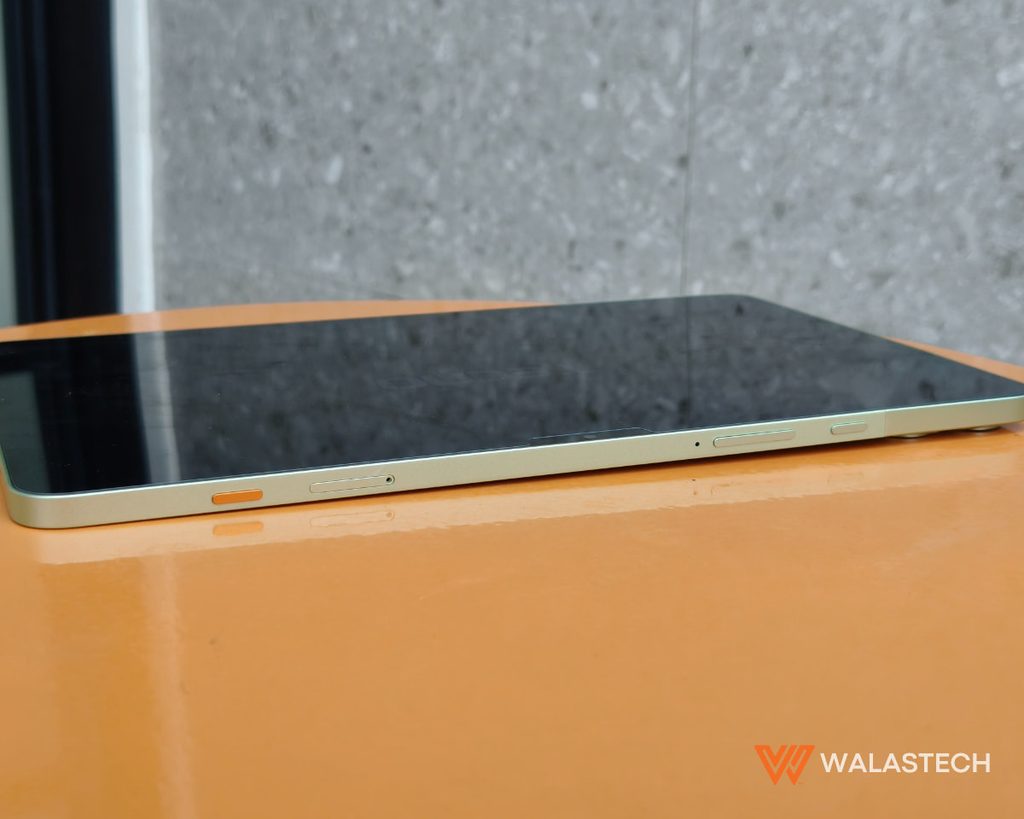
There’s also an AI button here that you can program for your shortcuts. By default, it mutes the tablet on long press.
What matters more is the overall portability. TECNO’s idea of the MEGAPAD 2 as a portable workstation makes sense here. It is thin enough to carry without feeling like another laptop-sized device in your bag.
TECNO MEGAPAD 2 Review: Display and Audio
The 11-inch 2.5K display is one of the TECNO MEGAPAD 2’s strongest features. With a 2560 x 1600 resolution, text looks sharp and there is plenty of room for reading documents, browsing websites, viewing presentations, and watching lessons. The 90Hz refresh rate also makes scrolling through pages and navigating the interface smoother.
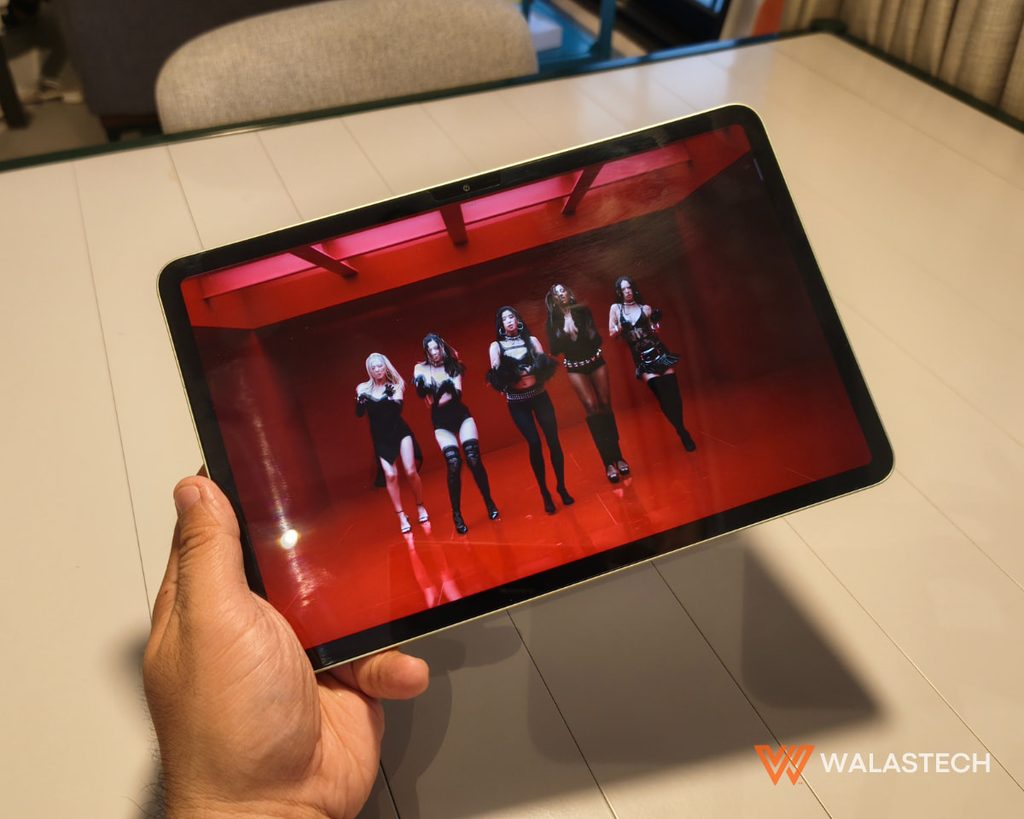
Reading PDFs and digital modules is much more comfortable than doing the same thing on a phone, while the higher resolution gives the screen enough detail for documents and spreadsheets. TECNO also emphasizes eye-care features on the display, which makes sense for a tablet that is expected to be used for extended reading and online classes.
Its display also gives the MEGAPAD 2 enough room to take advantage of its multitasking features. Split-screen and floating-window functions make it possible to work with more than one application at a time. This is particularly useful for studying.
For example, you can keep reference material open while working on a document, or use a browser while taking notes. The larger display makes this much more comfortable than trying to do the same thing on a smartphone.
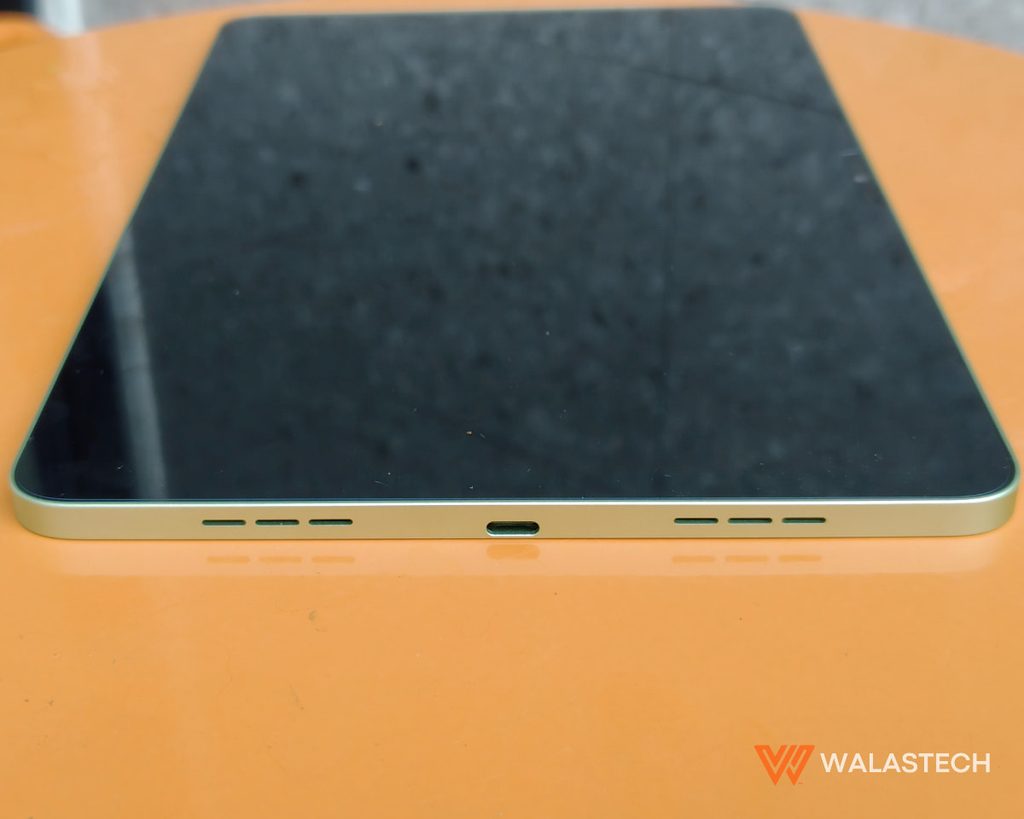
The four-speaker setup, paired with Dolby Atmos tuning, complements the large display. It provides enough volume for watching lessons, attending online classes, listening to presentations, and watching videos without immediately reaching for headphones. The audio can easily fill up a 10 sqm room with its loudest volume, though expect some audio screeches associated with loud volumes along the way.
TECNO MEGAPAD 2 Review: Cameras
The TECNO MEGAPAD 2 has an 8MP rear camera with LED flash and an 8MP front camera. Neither camera is a major reason to buy the tablet, but both are useful for basic tasks such as videoconferencing.
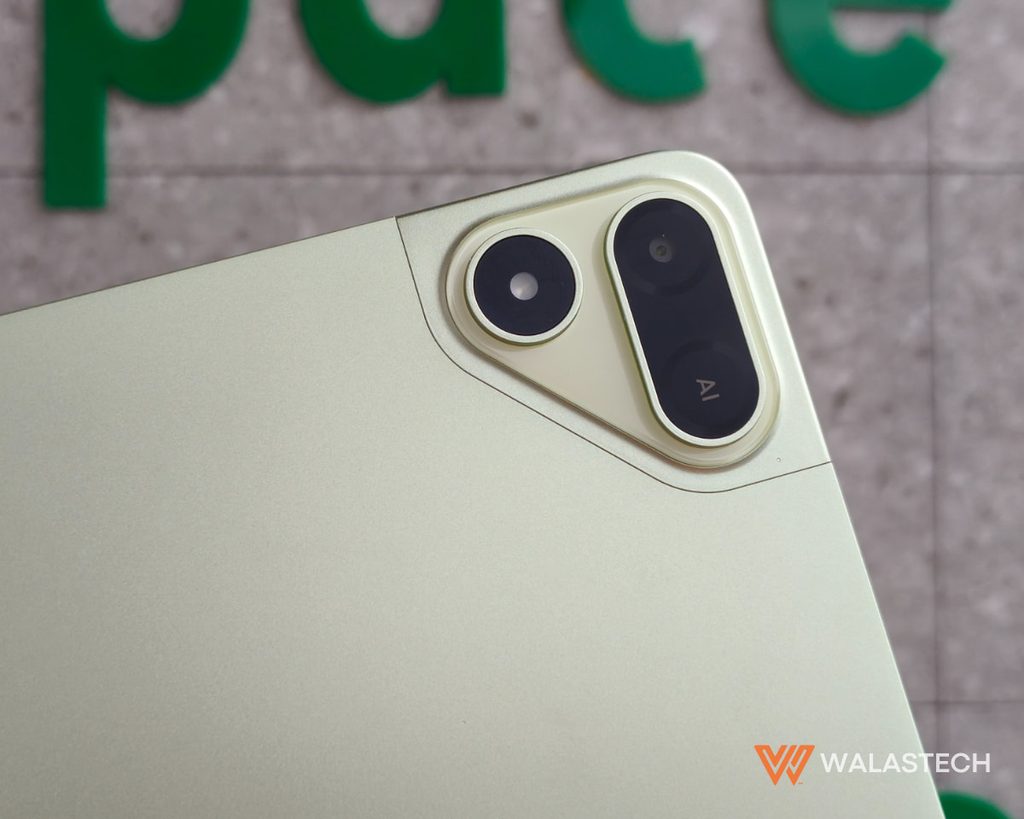
The front camera is particularly relevant for online classes and video calls, while the rear camera can be used for photographing documents, notes, or quick reference material.
For a tablet focused on education, this is enough. We would not expect the MEGAPAD 2 to replace a smartphone for photography.
TECNO MEGAPAD 2 Review: Performance
The MediaTek Helio G99 is probably the most obvious reminder that the MEGAPAD 2 is still an affordable tablet. For everyday use, however, it is adequate.
Browsing, streaming, document editing, online classes, social media, and basic multitasking all work well enough for the tablet’s target audience. The available RAM configurations also give users some flexibility depending on their needs.
Gaming is possible, including more demanding titles at adjusted settings, but this is not a tablet we would recommend specifically for high-end gaming.
The limitation is performance. The Helio G99 is capable of handling everyday multitasking, but it is still a budget-oriented processor. Heavy workloads involving multiple demanding applications are not where this tablet performs best.
AI Education Assistant
The AI Education Assistant is another major part of the TECNO MEGAPAD 2’s education proposition. TECNO positions the feature around AI-assisted learning and doing. Instead of simply searching for information, it is designed to help users organize, understand, and produce content through AI tools built into the tablet.
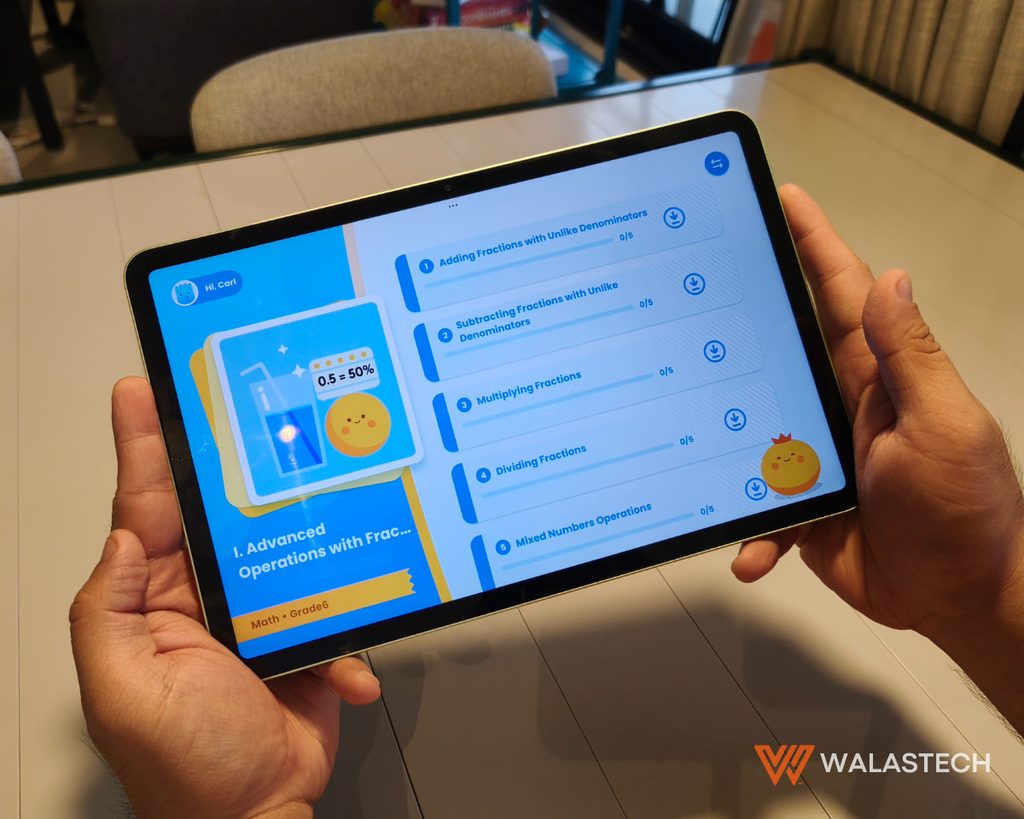
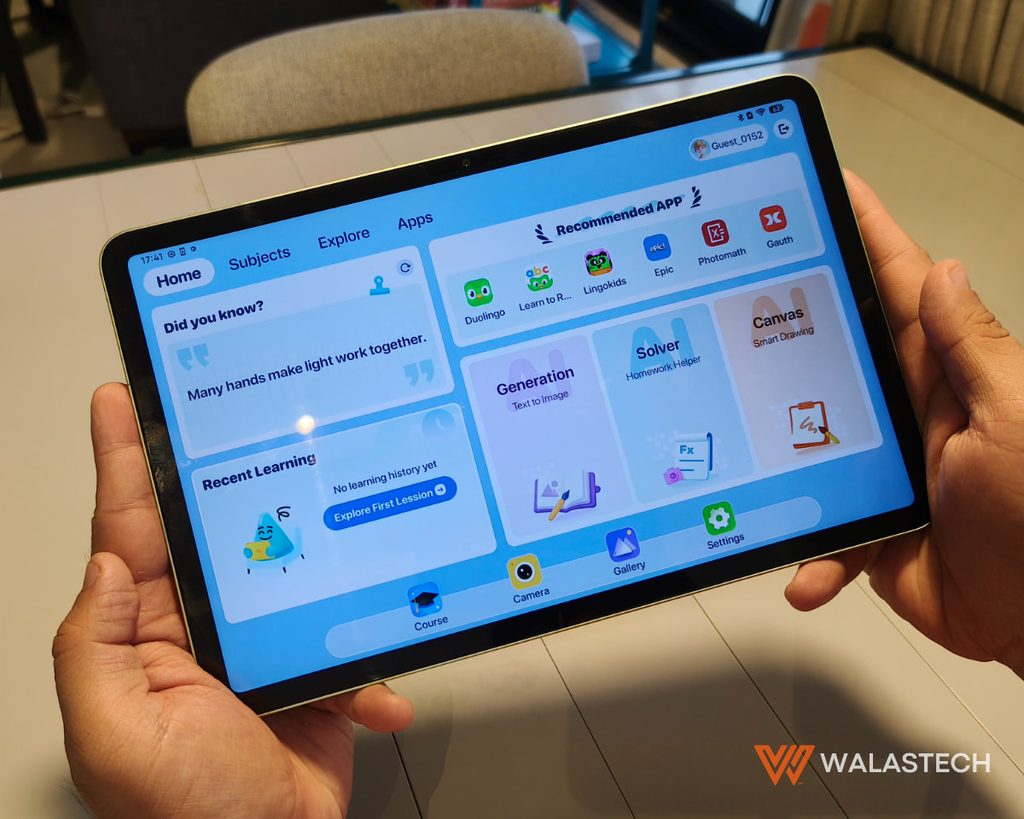
Of course, how useful AI becomes in education depends on how it is used. It should help students understand their work rather than simply provide something to copy.
OneLeap Ecosystem
OneLeap adds another layer to the TECNO MEGAPAD 2 experience by connecting it with other devices. The ecosystem supports features such as file transfers, cross-screen operation, screen mirroring, audio casting, and device control. It can also work with a PC, including using the TECNO MEGAPAD 2 as an extended display.
A file created or received on a phone can be moved to the tablet, where the larger display and keyboard make it easier to work on. Those with a compatible PC can also use the tablet as an additional screen.
Keyboard and Productivity
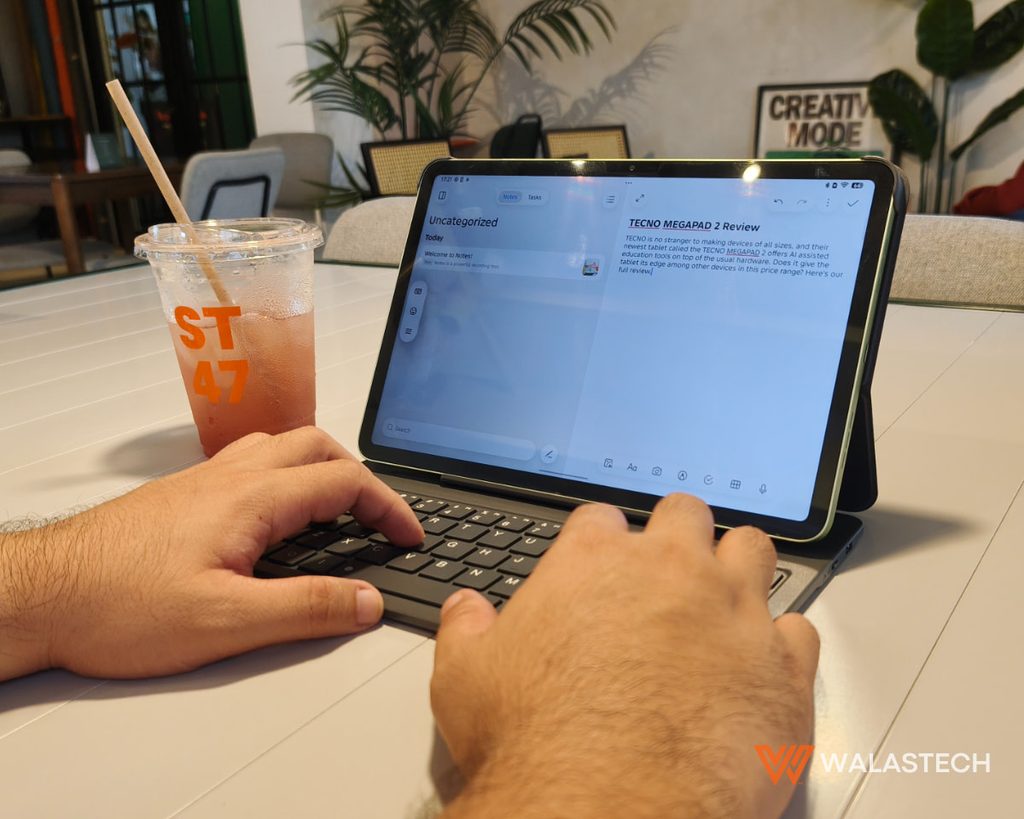
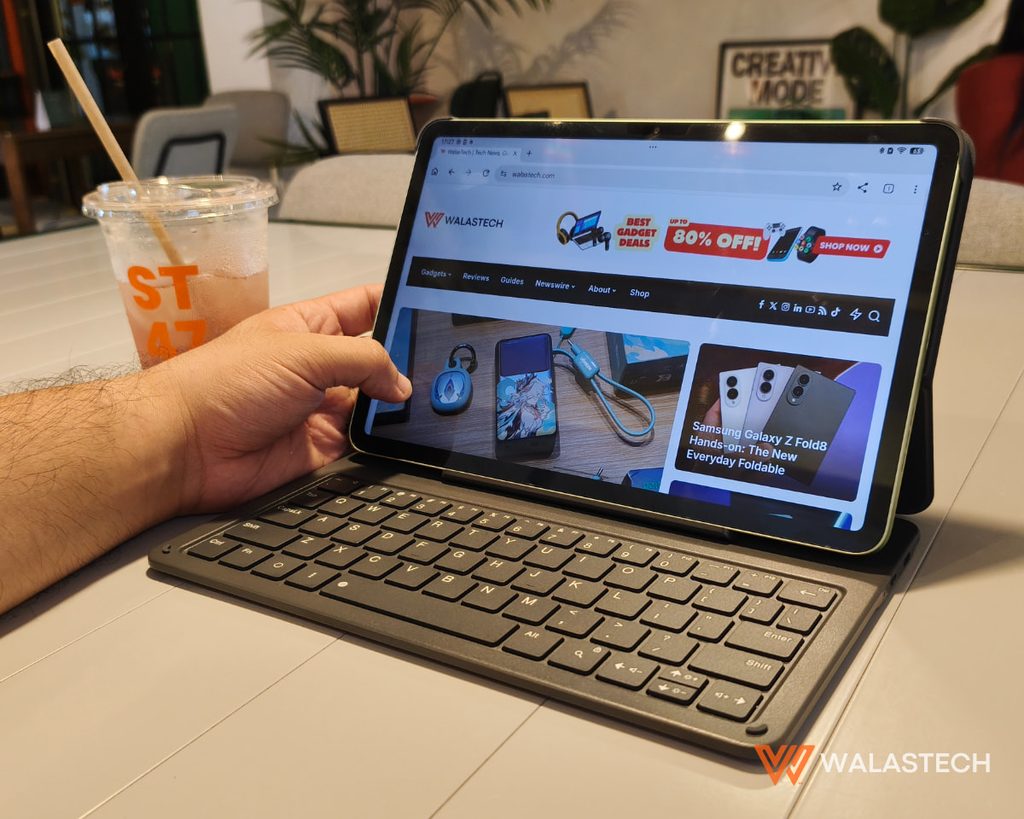
The free Bluetooth keyboard is an important part of the TECNO MEGAPAD 2 package. Without it, the tablet works well for reading, browsing, video, and touchscreen-based tasks. With it, the device becomes considerably more practical for writing.
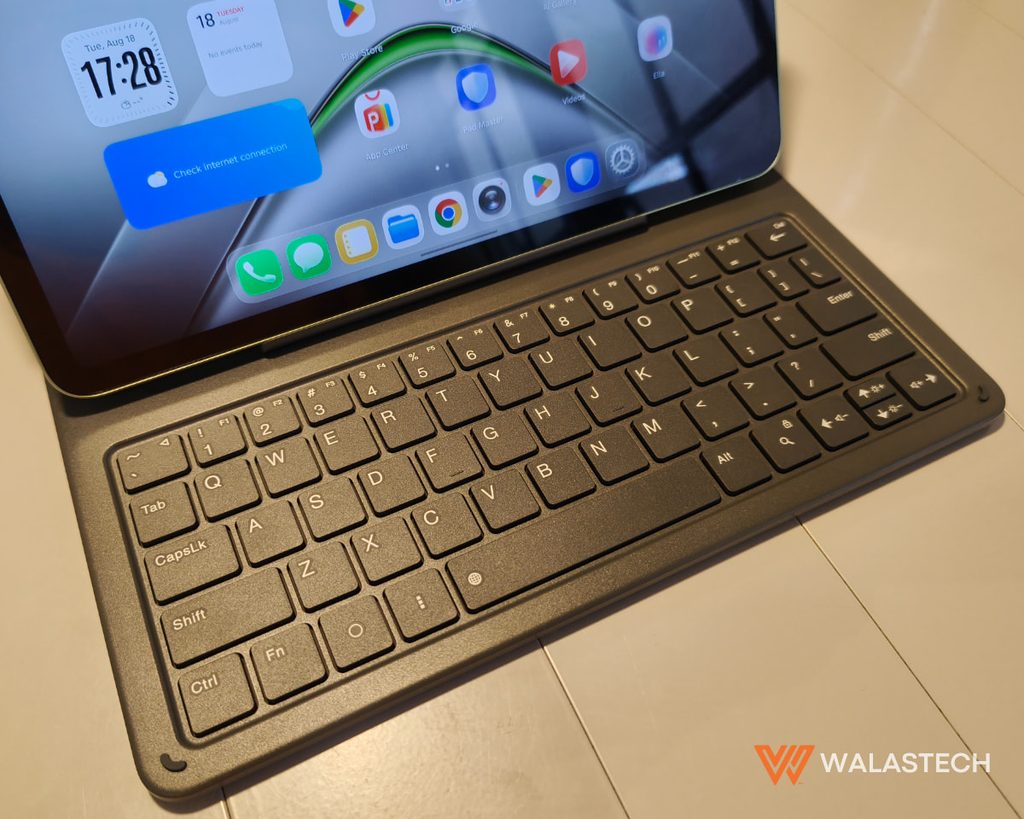
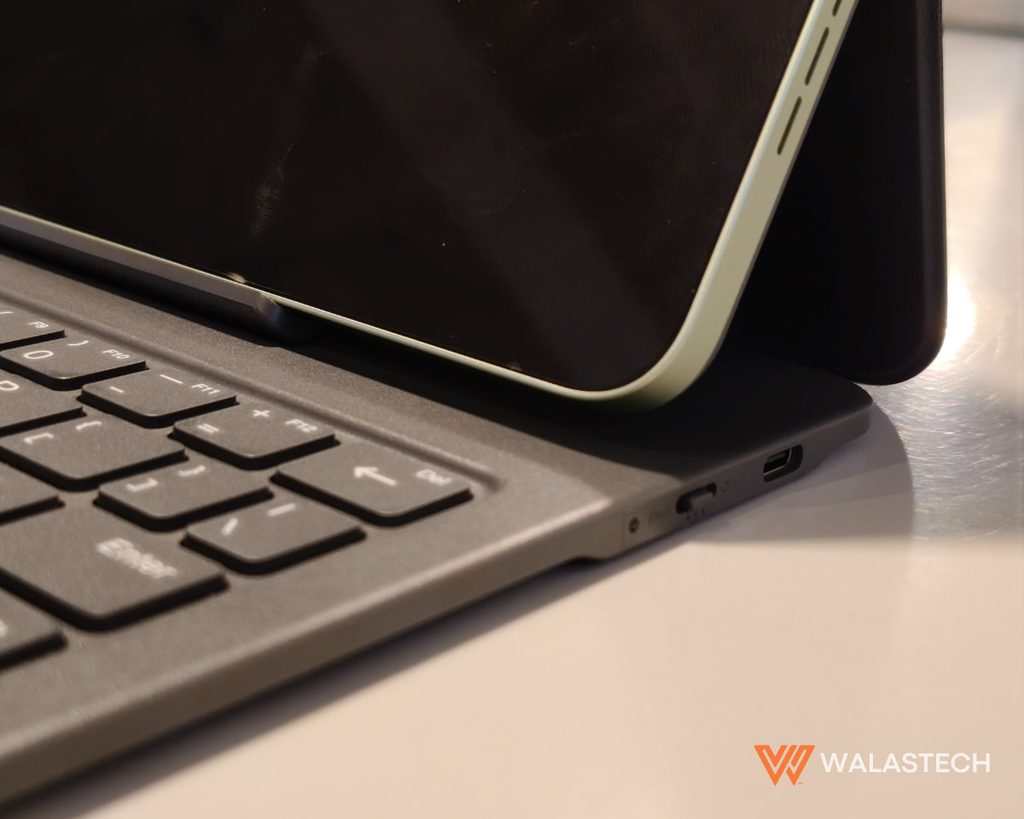
We found the keyboard useful for longer documents, emails, assignments, and other typing-heavy tasks. It also makes WPS Office more practical, especially when working on documents, spreadsheets, or presentations.
This supports TECNO’s “ready to do, not just view” approach. The MEGAPAD 2 is clearly designed to handle more than content consumption.
Connectivity
The TECNO MEGAPAD 2’s LTE connectivity is one of the features we found particularly useful. A Wi-Fi-only tablet can become inconvenient once you leave home, school, or another location with an available network. With LTE, the MEGAPAD 2 can connect directly to a mobile network.
Other connectivity options such as WiFi, Bluetooth, and GPS work well without any issues and have performed well in our tests.
TECNO MEGAPAD 2 Review: Battery
The 8,200mAh battery fits the TECNO MEGAPAD 2’s purpose well. During our use, the tablet handled extended periods of browsing, video playback, document work, and general use without constantly needing to be connected to a charger. Our PCMark battery test showed 17 hours and 24 minutes, which is already more than decent given the device’s large display.
For students, this is important. A tablet used for schoolwork needs to get through extended study sessions without making battery management another concern.
The trade-off is charging speed. At 18W, charging the large battery is not particularly fast. A full charge may take roughly 3 hours.
This is a tablet that benefits from being charged ahead of a full day of use rather than relying on quick top-ups.
The Rundown
Best For: The TECNO MEGAPAD 2 is best for students who need a portable device for learning, online classes, research, document work, and entertainment. Its large 2.5K display, LTE connectivity, AI Education Assistant, bundled Bluetooth keyboard, and OneLeap features make it particularly useful for students who want to keep most of their schoolwork in one device. It can also work for users who need a lightweight tablet for basic productivity and remote work.
WalasTech Worthy Feature: The AI Education Assistant is what makes the MEGAPAD 2 stand out from a typical budget tablet. Combined with its large display, LTE connectivity, keyboard, and multitasking features, it gives the tablet a clear education-focused identity rather than simply being a device for content consumption.
Skip If: Skip the TECNO MEGAPAD 2 if you need a tablet for demanding gaming, intensive creative work, or desktop-class applications. The MediaTek Helio G99 limits its performance ceiling compared with newer and more powerful tablets.
Watch Out For: The MediaTek Helio G99 is an older budget processor, so expectations should be kept realistic for demanding workloads. The 18W charging is also relatively slow for the 8,200mAh battery, while the cameras are basic.
The TECNO MEGAPAD 2 is now available in TECNO stores, authorized dealers, and online stores at Shopee (BUY HERE), Lazada, and TikTok Shop for PHP 16,999 (6GB/128GB) and PHP 19,999 (8GB/256GB).
Get the latest from WALASTECH directly on your Google feed.
Add as a preferred source on Google